New AI agent resources this week (week 42, 2026)
Updated 16/10/2026
This digest is for vibe coders who want to try new tools without reading every repo. It covers what was added to Airsc in the last 7 days. Most picks below are labeled safe and are easy to start with.
The new resources help with design, documents, memory across tools, video editing, and database diagrams. Some are niche, like Korean documents, CUDA, or JS reverse engineering. Two are labeled caution (Trail-Code and video-talkcraft), so we left them out of the picks. Read their pages before you install them.
- PluginSafe
taste-skill
Leonxlnx

Gives coding agents 'taste' by providing art direction, reference images, and automated browser-based visual checks.
96kMIT#1 · Why we picked it
Safe, quality 95, beginner level, and it helps your agent build pages with a real look instead of a generic layout, with browser checks to catch broken UI. - PluginSafe
Kami
tw93
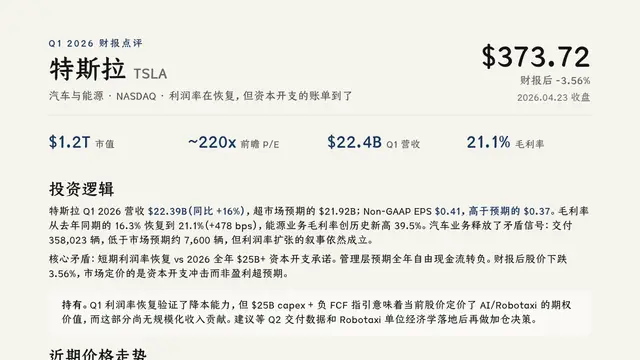
Layout rules and templates that allow AI agents to design and export professional PDF, PNG, and editable PowerPoint documents.
12kMIT#2 · Why we picked it
Safe, quality 95, and it lets an agent export PDF, PNG and editable PowerPoint files, for example a resume from Markdown. - PluginSafe
Waza
tw93
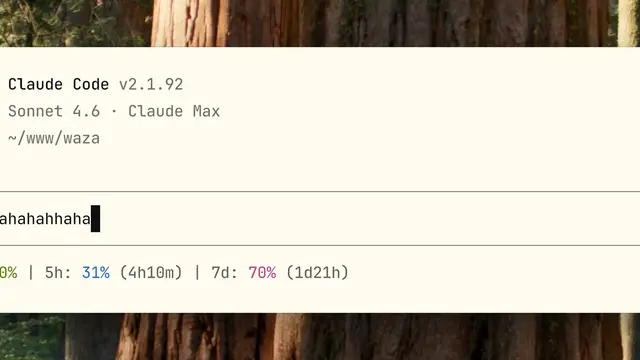
A suite of specialized commands like /think and /hunt that teach AI agents disciplined engineering habits for planning, debugging, and UI design.
7.3kMIT#3 · Why we picked it
Safe, quality 95, and commands like /think and /hunt teach the agent to plan and debug before it rushes into code. - MCP serverSafe
second-brain-cloudflare
rahilp
A self-hosted memory layer on Cloudflare that shares context across Claude, ChatGPT, and Cursor.
806MIT#4 · Why we picked it
Safe and beginner level, it keeps memory shared across Claude, ChatGPT and Cursor, but it is self-hosted on Cloudflare so expect some setup. - MCP serverSafe
erd-editor
dineug
Visual database schema designer with an MCP server that enables AI agents to create and edit entity-relationship diagrams live.
1.7kMIT#5 · Why we picked it
Safe and beginner level, it lets an agent draw and edit database diagrams live and generate SQL from them; you need to add the MCP server to your client. - MCP serverSafe
world-intel-mcp
marc-shade
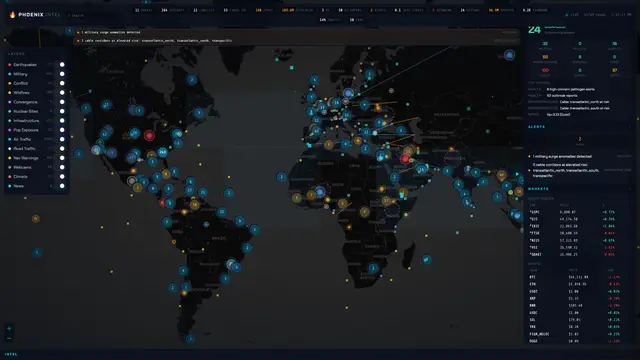
Provides 139 MCP tools for real-time global intelligence on markets, geopolitics, and environmental data without requiring paid API keys.
909MIT#6 · Why we picked it
Safe and beginner level, with 139 tools for markets and world events that do not need paid API keys. - PluginSafe
ffmpeg-skill
kajisho5
Gives coding agents 42 local FFmpeg tools for video editing, audio normalization, captioning, and format conversion.
2kMIT#7 · Why we picked it
Safe, quality 92, and 42 local FFmpeg tools cover captions, silence removal and 9:16 reframing; check that FFmpeg works on your machine first. - SkillSafe
huashu-skills
alchaincyf
A massive collection of 50+ specialized skills for Claude Code covering design, data analysis, and document conversion.
1.7kMIT#8 · Why we picked it
Safe, beginner level, and one install gives you 50+ skills for design, Excel cleanup and PDF-to-Markdown conversion.
How to choose
- Start with the safe label and beginner level. Four of the picks here, taste-skill, Kami, Waza and huashu-skills, are good first installs.
- Match the tool to your daily work. Pick Kami for documents, ffmpeg-skill for video, erd-editor for databases.
- Check setup before you install. MCP servers and self-hosted tools like second-brain-cloudflare need config and sometimes an account.
- Skip niche tools unless you need them, such as kordoc for Korean files, LeetCUDA for GPU code or aseprite-mcp for pixel art.
- Read the page of anything labeled caution before installing it.
FAQ
What does the safety label mean?
It is the result of Airsc's safety check. Safe means no major issues were found. Caution means you should read the details and decide for yourself. It is not a guarantee, so review what a tool can access.
Which new resource is best for a total beginner?
taste-skill, Kami and Waza are all safe, quality 95 and beginner level. Pick the one that fits your work: design, documents, or better engineering habits.
Do any of these need API keys?
world-intel-mcp says it works without paid API keys. For the others, check each resource page for setup notes, since MCP servers often need configuration.
Why are Trail-Code and video-talkcraft not in the picks?
Both are labeled caution. They have good quality scores, but we prefer safe-labeled tools for a beginner digest. Open their pages to see the details.