Best Building web & mobile apps resources for vibe coders
Updated 15/10/2026
This guide is for vibe coders who want an AI agent to help build a website or a mobile app. You do not need to be an expert. Most picks below are rated safe and have high quality scores.
These resources help you start a project, fix build errors, test on a phone, and ship. Some need API keys, a local tool like Xcode, or an account such as Cloudflare. We note that where it matters.
- PluginSafe
skills
expo
Official AI skills for building, deploying, and debugging Expo and React Native apps.
2.7kMIT#1 · Why we picked it
Official Expo skills with a 98 quality score and safe label, good for upgrading SDKs, running EAS builds and debugging React Native; beginner level. - PluginSafe
claude-skills
jezweb
This package provides a collection of Claude Code skills for full-stack development, including web app scaffolding, UI design, and deployment automation.
1kMIT#2 · Why we picked it
Beginner-friendly skills that scaffold a Vite + React app, add Tailwind and shadcn/ui, and deploy to Cloudflare (you will need a Cloudflare account). - Cursor ruleSafe
lovable-boilerplate
chihebnabil
This React boilerplate is inspired by Lovable AI's no-code generation, providing a clean, customizable codebase structured for seamless integration with GitHub Copilot and other AI coding assistants.
65MIT#3 · Why we picked it
A safe, beginner-level React starter with shadcn/ui and Tailwind that works with AI coding assistants, useful if you want to extend a Lovable-style app. - PluginSafe
claude-skills
rampstackco
Provides a comprehensive library of 103 stack-agnostic Claude Skills to manage the full lifecycle of building, launching, running, and growing websites and brands.
934MIT#4 · Why we picked it
103 stack-agnostic skills covering copy, branding, SEO audits and deployment help for a website; beginner level and rated safe (the SEO audit uses an Ahrefs MCP suite). - PluginSafe
ios-simulator-skill
conorluddy
This Claude skill allows AI agents to build, test, and interact with iOS applications using Xcode and the iOS Simulator, parsing results effectively.
1.3kMIT#5 · Why we picked it
Lets the agent build, test and debug iOS apps in the Simulator; safe, but it needs a Mac with Xcode. - MCP serverSafe
Android-MCP
CursorTouch
An MCP server that enables AI agents to interact with Android devices, performing tasks like app navigation, UI interaction, and automated QA testing.
881MIT#6 · Why we picked it
A safe MCP server that lets the agent tap through an Android device for QA testing or demos; needs a connected device or emulator and some setup. - MCP serverSafe
magic
polterguy
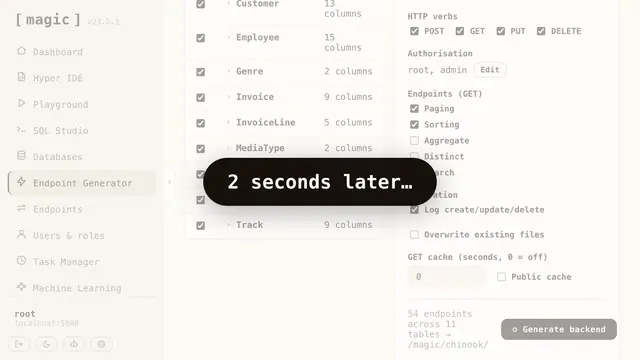
This tool generates instant, secure full-stack applications and AI agents from plain English, running on your hardware, and functions as an MCP server exposing endpoints to agents like Claude and Cursor.
1.2kMIT#7 · Why we picked it
Generates a full-stack app with database, API and frontend from plain English, and exposes it to Claude or Cursor; safe, intermediate, runs on your own hardware. - MCP serverSafe
elementor-mcp
msrbuilds
A WordPress plugin that converts Elementor and WordPress into an MCP server, offering over 500 AI-ready tools for programmatic page building and site management.
732GPL-2.0#8 · Why we picked it
Turns WordPress and Elementor into an MCP server with 500+ tools for building pages; safe, but you need an existing WordPress site.
How to choose
- Start from your target: Expo for React Native, the iOS or Android tools for testing on devices, and the React or Cloudflare skills for websites.
- Prefer the safe label and beginner level if this is your first project. Intermediate picks usually need more setup.
- Check what you must install first: Xcode for iOS, a device or emulator for Android, and accounts or API keys for deploy tools.
- Install one resource at a time and test it on a small task before you rely on it.
FAQ
Which resource is best for a first mobile app?
Expo skills is the best start. It is official, rated safe, beginner level, and covers builds, upgrades and debugging for React Native.
Do I need to know how to code?
Not deeply. Beginner picks like jezweb-claude-skills or the Lovable boilerplate guide you through setup, but you should still read what the agent changes.
Are all of these safe to use?
The picks in this guide are labeled safe. Some other tools in the library, like Startup_builder_pro and spellbook, are labeled caution, so review them closely before installing.