Best Docs, Writing & Content Resources for Vibe Coders
Updated 16/10/2026
This guide is for vibe coders who need to read, write, or present content with an AI agent. You do not need to be a designer or a writer. Most picks here are beginner level and marked safe.
These resources unlock a few jobs. Turn PDFs and Word files into Markdown your agent can read. Remove robotic phrasing from AI text. Build slides, PDFs and diagrams from a plain request. Some are language-specific, so check that before you install.
- PluginSafe
anymd
SylphxAI
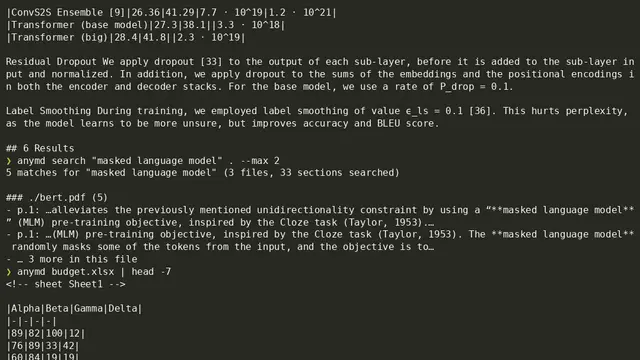
This fast, local Rust MCP server and CLI converts various file types, including PDF, Word, HTML, and audio/video, into clean Markdown for AI agent consumption, without API keys.
1kMIT#1 · Why we picked it
Quality 98 and safe: a local MCP server and CLI that turns PDF, Word, HTML and audio/video into Markdown with no API keys. - PluginSafe
humanizer
blader
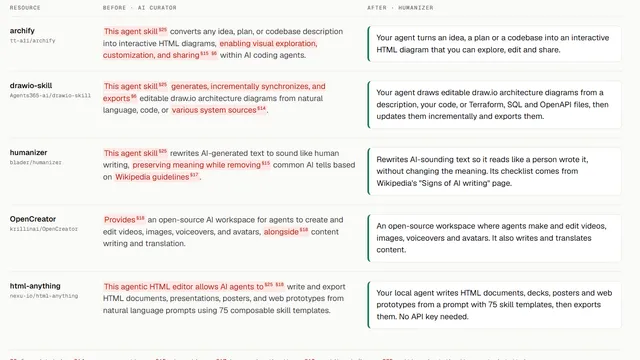
This agent skill rewrites AI-generated text to sound like human writing, preserving meaning while removing common AI tells based on Wikipedia guidelines.
54kMIT#2 · Why we picked it
The most popular option here with 54,253 stars, safe, and it removes common AI tells while keeping the meaning. - PluginSafe
Kami
tw93
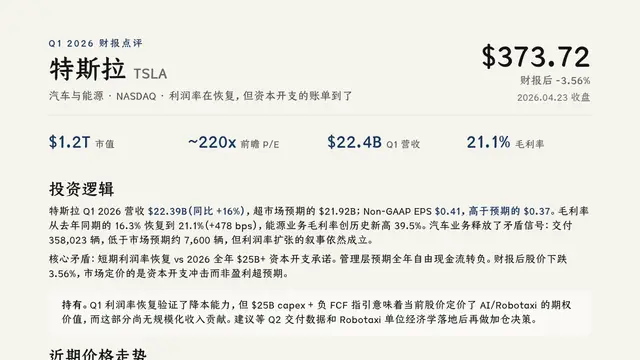
Layout rules and templates that allow AI agents to design and export professional PDF, PNG, and editable PowerPoint documents.
12kMIT#3 · Why we picked it
Safe and beginner level: layout rules and templates so an agent can export clean PDF, PNG and editable PowerPoint files. - SkillSafe
drawio-skill
Agents365-ai
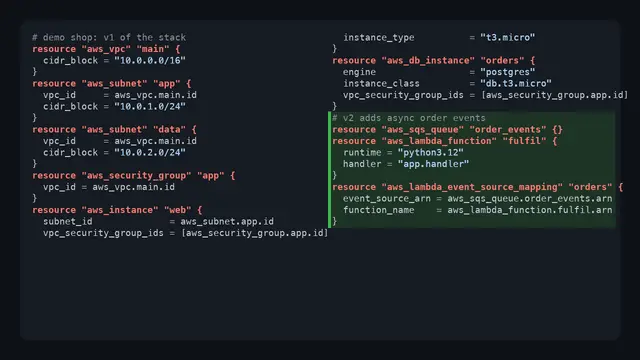
This agent skill generates, incrementally synchronizes, and exports editable draw.io architecture diagrams from natural language, code, or various system sources.
10kMIT#4 · Why we picked it
Safe, 10,069 stars, and it makes editable draw.io diagrams from plain text, code, or even a whiteboard photo. - SkillSafe
academic-pptx-skill
Gabberflast
This Claude Skill helps create high-quality academic presentations by enforcing communication-first design principles, structured arguments, action titles, and citation standards.
1.1kMIT#5 · Why we picked it
Safe and beginner friendly: it pushes clear slide titles and proper citations, which suits talks and thesis defenses. - SkillSafe
tutor-skills
bevibing
This Claude Code skill transforms PDFs, documents, and codebases into Obsidian study vaults and generates interactive quizzes based on the content.
1.3kMIT#6 · Why we picked it
Safe skill that turns PDFs and codebases into Obsidian study notes and quizzes, useful for learning new material. - MCP serverSafe
zotero-mcp
54yyyu
Connects your Zotero research library to AI agents to search, read, and cite papers using natural language.
5.3kMIT#7 · Why we picked it
Safe MCP server to search, read and cite papers from your Zotero library; intermediate level, so expect some setup. - PluginCaution
mckinsey-pptx
seulee26
This Claude Code plugin generates McKinsey-style PowerPoint presentations with 40 templates, allowing users to create professional slides from simple text commands.
594#8 · Why we picked it
Quality 98 with 40 consulting-style templates for business decks, but its safety label is caution, so review it before use.
How to choose
- Start with the job: reading files (anymd), polishing text (humanizer), or producing output (Kami, slide skills, drawio-skill).
- Prefer the safe label. Items marked caution, like mckinsey-pptx and unslop, need a closer look at what they do first.
- Match the language. humanizer-ru is for Russian, im-not-ai for Korean, human-writing for Chinese, kordoc for Korean documents.
- Pick beginner level first. Intermediate tools like zotero-mcp and PPT-Design-Skill need more setup.
FAQ
Which tool turns a PDF into text my agent can read?
anymd converts PDF, Word, HTML and audio/video into Markdown locally and needs no API keys. For Korean HWP files, use kordoc.
Can I make slides without design skills?
Yes. Kami, academic-pptx-skill and mckinsey-pptx all build decks from plain requests. Kami and academic-pptx-skill are marked safe; mckinsey-pptx is marked caution.
Do humanizer tools guarantee text sounds human?
No. They remove common AI patterns, but you should still read the result and edit it. Tools like unslop are marked caution, so check them first.
Can I draw architecture diagrams with an agent?
Yes. drawio-skill makes editable draw.io diagrams from a description, code, or a whiteboard photo.