drawio-skill
Agents365-ai · Agents365-ai/drawio-skill
This agent skill generates, incrementally synchronizes, and exports editable draw.io architecture diagrams from natural language, code, or various system sources.
Agent skill that turns natural language, code, Terraform/K8s, SQL, OpenAPI, AsyncAPI, Protobuf and GraphQL sources into editable, tested draw.io architecture diagrams: incremental sync, multi-view projection, drift diff, CI architecture tests, whiteboard derasterize, interactive HTML/PPTX/Mermaid exports.
See it in action

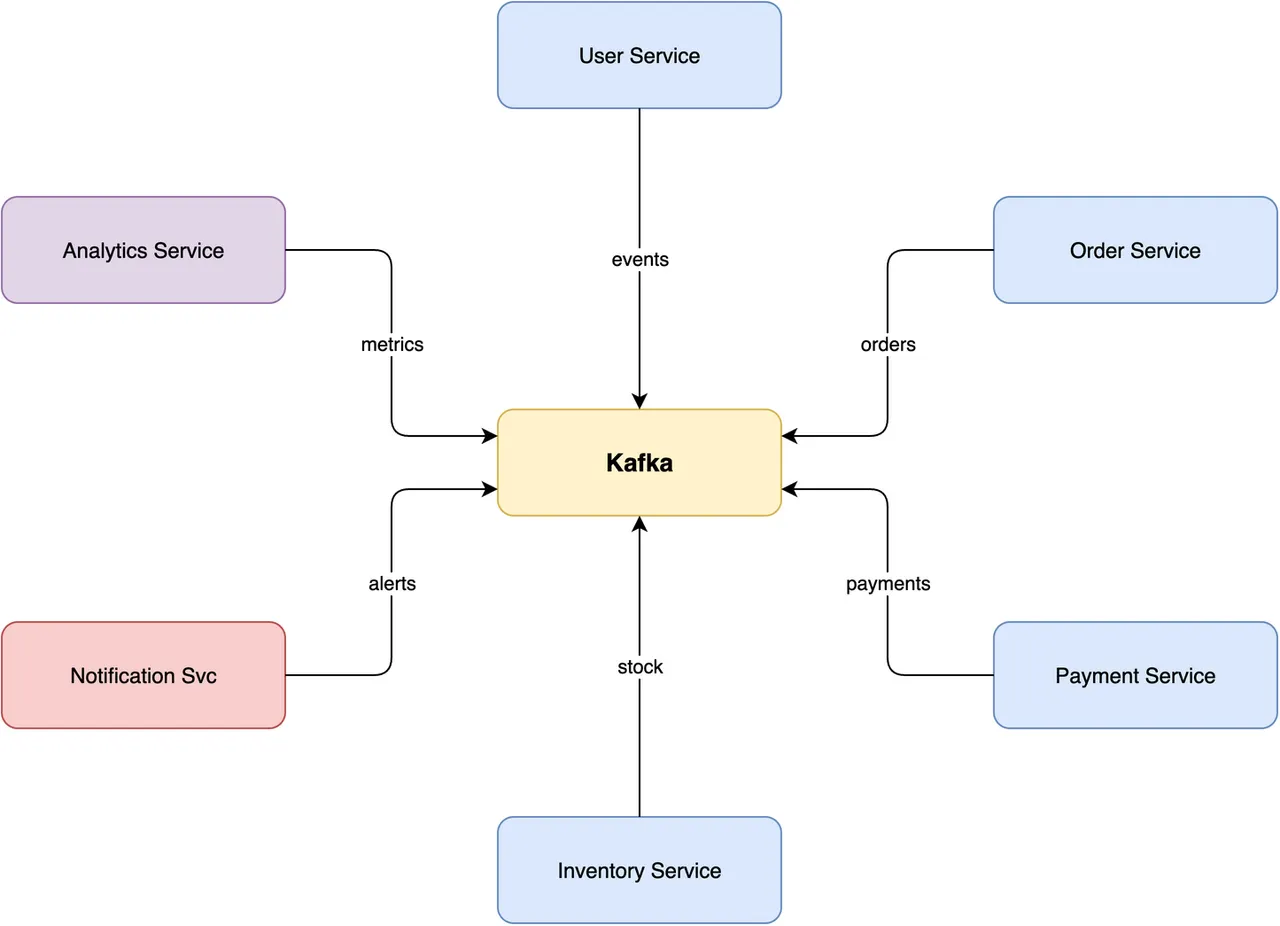
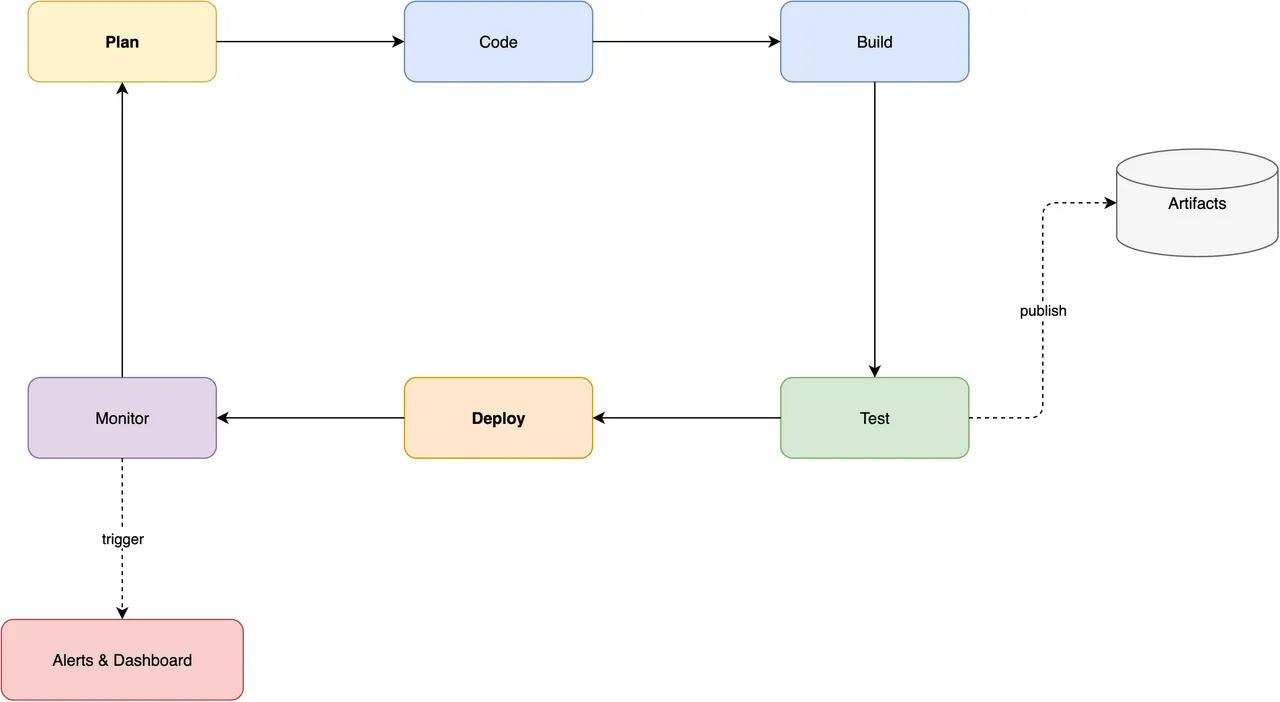
From the author's READMETransformation of Terraform code into an architecture diagram
From the author's README Agents365-ai ·Source
What you can do with it
- Generate a C4 model diagram for a new web application described in natural language.
- Convert a photo of a whiteboard sketch into an editable draw.io flowchart.
- Visualize the class hierarchy of a Python codebase as a UML diagram.
Safety check
No risky patterns found in the files we scanned.
Automated scan of the repo files. Always review code you run.
From the README
drawio-skill — From Text to Professional Diagrams
English · 中文 · 📖 Online Docs
A skill that turns natural language and real system sources into maintainable .drawio architecture models. Beyond generation and export, it incrementally synchronizes without discarding manual layout, projects multiple views from one model, enforces architecture contracts, queries dependencies, simulates failure propagation, and publishes dependency-free interactive walkthroughs. Works with Claude Code, Cursor, Copilot, OpenClaw, Codex, Autohand Code, Hermes, and any agent compatible with the Agent Skills format.
✨ Highlights
From a prompt
- Describe it, get an editable
.drawio— the skill plans the layout, writes the XML, exports, then self-checks its own PNG and auto-fixes overlaps, clipped labels, and stacked edges (up to 2 rounds), with up to 5 rounds of your feedback - Mermaid → native .drawio (draw.io ≥ 30) — author 28 standard types as Mermaid text (mindmap, gantt, timeline, journey, pie, sankey, kanban…) and the CLI converts them into a laid-out, editable
.drawio: structure in, layout free - Whiteboard photo / screenshot → editable diagram — snap a legacy PNG or a physical whiteboard, let vision extract the graph, and
raster2drawio.pyrebuilds it as a real, editable.drawiohonouring the original layout - 11 diagram type presets — ERD, UML Class, Sequence, C4, Architecture, ML/Deep Learning, Flowchart, SysML, BPMN, Network Topology, Cross-Functional Swimlane
From real sources
-
Visualize a codebase — import graphs for Python / JS-TS / Go / Rust and Python class hierarchies, with Graphviz placement, transitive reduction, and nested module containers
-
IaC and live infrastructure — Terraform, Kubernetes, and docker-compose configs become diagrams with official AWS / Azure / GCP / K8s icons; snapshot what's actually deployed from
terraform show -json,docker inspect, orkubectl get -o json -
Schemas and pipelines — SQL DDL → ER diagram, OpenAPI/Swagger → API diagram coloured by HTTP method, AsyncAPI → event-driven architecture diagram, Protocol Buffers → message/service diagram, GraphQL SDL → entity type diagram, GitHub Actions / GitLab CI → pipeline DAG
-
Deterministic engines — sequence diagrams with computed lifelines and activation bars; multi-page C4 models with click-to-drill-down
Keep it true over time
- Architecture digital twin / Diagram IR — separate meaning, provenance, and geometry; project executive, system, deployment, data-flow, and security views from one model
- Incremental sync without losing manual layout —
diagramctl syncupdates changed nodes/relations while preserving tuned coordinates, styles, and annotations; removals stay reviewable by default - Diagram-as-Test, in CI — YAML/JSON architecture rules (Internet-to-database access, cycles, orphans, trust boundaries, contrast…) plus an official GitHub Action that enforces them on every PR, and a PR action that renders visual diffs
- Query, review, what-if — query components/owners/paths, spot articulation points and high coupling, simulate failure propagation, publish an accessible Story walkthrough
- Drift and history — colour-coded diffs between two diagrams or two live snapshots; a time-lapse player of how a codebase's architecture grew
Share and restyle
- Repurpose with one command — interactive HTML viewer (pan/zoom/search), PowerPoint deck, animated data-flow SVG, Mermaid or Markdown export, click-through runbook, exec-summary compression
- Restyle and enrich — style presets (yours or built-in
dark/corporate/…), bilingual label variants with layout untouched, data-driven heat maps, white-to-metro tubemap mode - 10,000+ official shapes + 321 AI/LLM logos — resolve exact AWS / Cisco / K8s / UML icon styles instead of guessing, plus brand logos draw.io itself lacks
- One CLI, optional MCP server —
diagramctl doctor/build/sync/views/query/test/review/whatif/story/publish/transform, core workflows stdlib-only and offline; the MCP server exposes them to Claude Desktop, Cursor, VS Code, Codex, and any MCP host. Portable to any Agent Skills-compatible agent, no daemon
🗺️ Feature Map
A bird's-eye view of everything the skill does — diagram types, import sources, layout engines, styling, export formats, and repurposing — in one map. Fittingly, this map was itself drawn with drawio-skill.
🚀 Installation
1. Install the draw.io desktop CLI
| Platform | Command |
|---|---|
| macOS | brew install --cask drawio |
| Windows | Download installer |
| Linux | .deb/.rpm from releases; sudo apt install xvfb for headless |
Verify with drawio --version. Version ≥ 30 recommended — it unlocks Mermaid → .drawio conversion and the ELK --layout pass (both unavailable on ≤ 29). On WSL2 the CLI is the Windows desktop exe reached via /mnt/c — the skill detects this automatically (see troubleshooting). Full recipes in docs/INSTALL_CLI.md.
2. Install the skill
# Any agent (Claude Code, Cursor, Copilot, ...)
npx skills add Agents365-ai/drawio-skill -g
Manual install: clone once to a persistent path, then link the skill subdirectory (Claude Code shown). Use cp -R instead of ln -s on hosts that do not follow symlinks. The destination must not exist yet, so move an existing drawio-skill entry aside first.
mkdir -p ~/src
git clone https://github.com/Agents365-ai/drawio-skill.git ~/src/drawio-skill
mkdir -p ~/.claude/skills
ln -s ~/src/drawio-skill/skills/drawio-skill ~/.claude/skills/drawio-skill

# Copy alternative, for hosts that do not follow symlink