Waza
tw93 · tw93/Waza
Một bộ các lệnh chuyên dụng như /think và /hunt giúp AI agent học các thói quen kỹ thuật kỷ luật để lập kế hoạch, gỡ lỗi và thiết kế UI.
🥷 Engineering habits you already know, turned into skills AI assistants like Claude Code, Codex and Cursor can run.
Xem kết quả thực tế
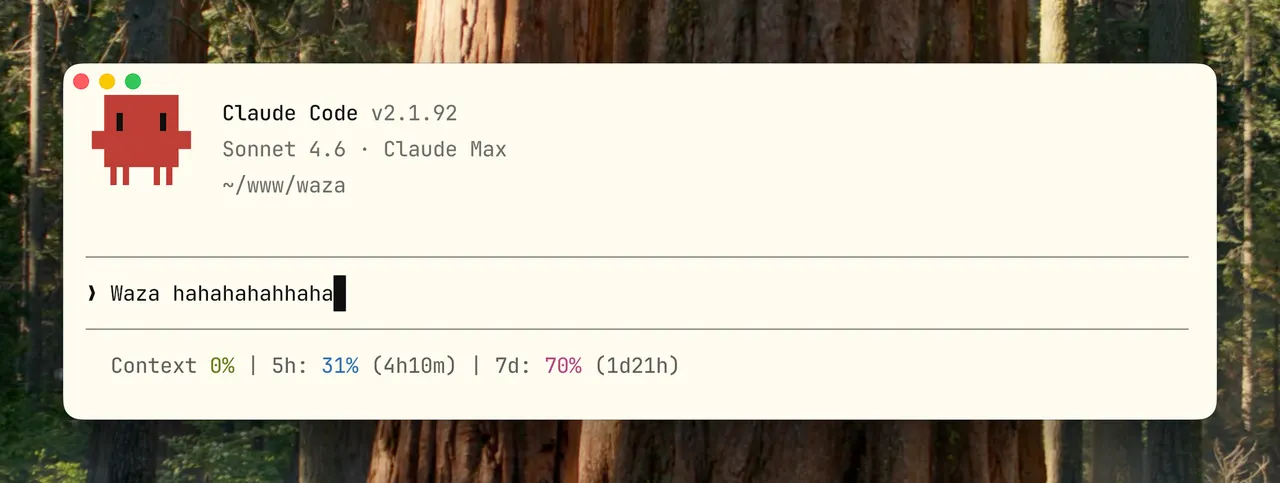
Ảnh từ README của tác giảGiao diện terminal Claude Code với dòng lệnh Waza
Ảnh từ README của tác giả tw93 ·Nguồn
Bạn có thể làm gì với nó
- Sử dụng lệnh /think để kiểm tra áp lực thiết kế tính năng trước khi viết mã
- Sử dụng lệnh /hunt để gỡ lỗi hệ thống và tìm nguyên nhân gốc rễ của sự cố
- Sử dụng lệnh /ui để tinh chỉnh thẩm mỹ frontend dựa trên ảnh chụp màn hình và quy tắc thiết kế
Kiểm tra an toàn
Không thấy dấu hiệu rủi ro trong các file đã quét.
Quét tự động các file trong repo. Luôn xem lại code trước khi chạy.
Trích từ README
Waza Tw93's engineering habits, turned into your skills. English · 中文 · 繁體 · 日本語 · 한국어 · Deutsch · Français
Skills
Each engineering habit gets an installed skill, a folder with reference docs, helper scripts, and gotchas from real failures. In Claude Code, type the slash command. In Codex, invoke the installed skill by name and follow the same playbook.
| Skill | When | What it does |
|---|---|---|
/think | Before building anything new | Challenges the problem, pressure-tests the design, and produces a decision-complete plan another agent can implement. |
/ui | Building frontend interfaces | Produces distinctive UI, including screenshot-driven aesthetic iteration, with a committed direction rather than generic defaults. |
/check | After a task, before merging or release | Reviews the diff against project constraints, verifies the result, and handles approved release and maintainer actions. |
/hunt | Any bug, regression, or unexpected behavior | Systematic debugging. Root cause confirmed before any fix is applied, especially when something used to work. |
/write | Writing or editing prose | Rewrites prose to sound natural in Chinese and English. Cuts stiff, formulaic phrasing. |
/learn | Diving into an unfamiliar domain | Six-phase research workflow: collect, digest, outline, fill in, refine, then self-review and publish. |
/read | Any URL or PDF | Returns a concise summary, or clean Markdown for conversion, quotes, citations, saving, or further research. |
/health | Auditing agent setup | Checks Codex, Claude Code, project instructions, verifier output, and AI maintainability with a budget-aware summary pass before deep inspection. |
Install
Claude Code, Codex, Cursor, and other agents
npx skills add tw93/Waza -a claude-code codex cursor -g -y
One copy lands in ~/.agents/skills, the shared skills directory. Claude Code is symlinked in; Codex, Cursor, Gemini CLI, Copilot, Amp, Kimi Code CLI, and every other agent that reads that directory picks the eight skills up as /check, /think, and so on. Agents with a private skills directory take their id after -a (for example antigravity-cli or qwen-code). Update with npx skills update -g -y. You can also tell your agent to install it:
Install Waza for me by reading https://github.com/tw93/Waza/blob/main/llms.txt
Host plugin, if you prefer the host's own update command (skills are namespaced, /waza:check)
# Claude Code (update: claude plugin update waza)
/plugin marketplace add tw93/Waza
/plugin install waza@waza

# Codex (update: codex plugin marketplace upgrade waza, then codex plugin add waza@waza)
codex plugin marketplace add tw93/Waza
codex plugin add waza@waza
Claude Desktop: download waza.zip, open Customize > Skills > "+" > Create skill, and upload the ZIP. To update, click "..." on the skill card, choose Replace, and upload the latest ZIP.
Pi: pi install npm:@tw93/waza, update with pi update npm:@tw93/waza.
Chaining Skills
You decide how skills chain together. Each skill stops at the requested outcome; an explicitly authorized workflow continues without asking you to approve every transition.
Common workflows:
- Plan a feature:
/thinkto settle the plan, implement after approval, then/checkbefore merging - Ship a fix:
/huntto find the root cause, fix it, then/checkto review the changes and, when needed, handle release, publish, push, and issue follow-through - Research and write:
/readto fetch sources,/learnto synthesize,/writeto polish
Project Context
Waza ships only generic engineering habits. /check becomes project-aware at runtime by reading the target repository's public context (READMEs, package manifests, Makefiles, CI workflows) and your task constraints, never private paths, credentials, or tokens. See skills/check/references/project-context.md for the review context template.
Extras
Curl URLs use the latest GitHub release asset. Set WAZA_REF=main before the command if you want bleeding-edge scripts.
Statusline
A minimal statusline for Claude Code: context window, 5-hour quota, and 7-day quota. Color-coded by usage, no progress bars, no noise.
(
  set -e
  WAZA_STATUSLINE_SCRIPT="$(mktemp -t waza-statusline.XXXXXX)"
  trap 'rm -f "$WAZA_STATUSLINE_SCRIPT"' EXIT
  curl -fL https://github.com/tw93/Waza/releases/latest/download/setup-statusline.sh -o "$WAZA_STATUSLINE_SCRIPT"
  # review it first: less "$WAZA_STATUSLINE_SCRIPT"
  bash "$WAZA_STATUSLINE_SCRIPT"
)
Codex has native statusline items. Add to ~/.codex/config.toml:
[tui]
status_line = ["model-with-reasoning", "current-dir", "context-used", "five-hour-limit", "weekly-limit"]
status_line_use_colors = true
Codex shows remaining quota; the Claude Code statusline above shows used percentage (upstream does not yet expose five-hour-used / weekly-used).
Optional Rules
Optional rules apply beyond skill invocations when installed into your agent's persistent instructions. Installing Waza skills alone does not enable them. Copy the ones you want (swap claude-code for codex or antigravity-cli on those agents):
(
  set -e
  WAZA_RULE_SCRIPT="$(mktemp -t waza-rule.XXXXXX)"
  trap 'rm -f "$WAZA_RULE_SCRIPT"' EXIT
  curl -fL https://github.com/tw93/Waza/releases/latest/download/setup-rule.sh -o "$WAZA_RULE_SCRIPT"
  # review it first: less "$WAZA_RULE_SCRIPT"

  # English coaching: appends a short 😇 correction when your prompt has an English mistake
  bash "$WAZA_RULE_SCRIPT" english claude-code

  # Anti-patt