baoyu-design
JimLiu · JimLiu/baoyu-design
Skill Agent này cho phép tạo cục bộ các bản mockup UI bóng bẩy, nguyên mẫu tương tác và wireframe dưới dạng HTML độc lập ngay trong agent mã hóa của bạn.
Chạy Claude Design cục bộ dưới dạng một Agent Skill — Cursor, Claude Code & hơn thế nữa. Tạo ra các bản mockup UI, prototype, bản trình chiếu và wireframe tinh xảo dưới dạng HTML độc lập, không cần claude.ai/design. Tốt nhất khi dùng với Opus hoặc Claude.
Xem kết quả thực tế
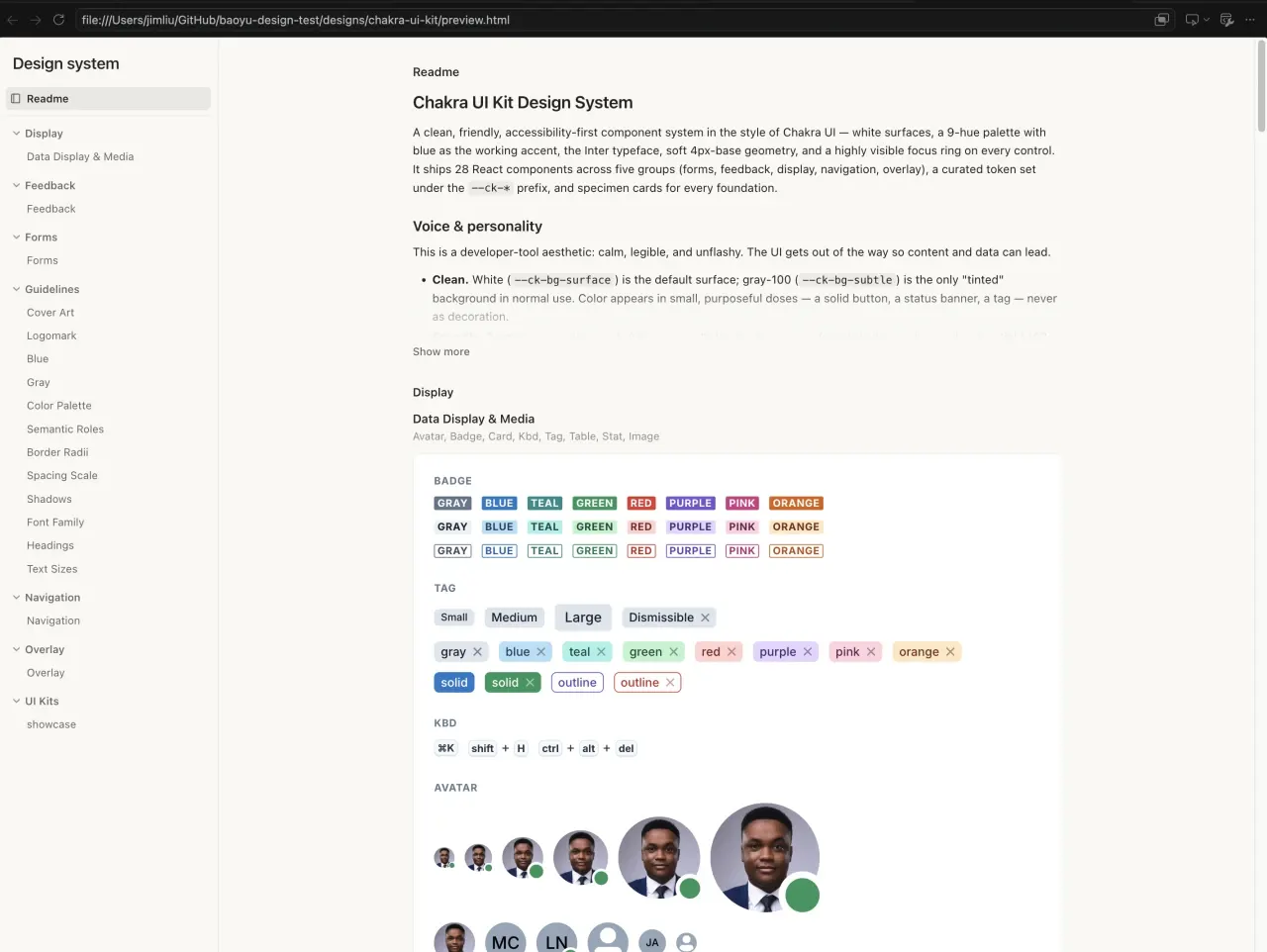
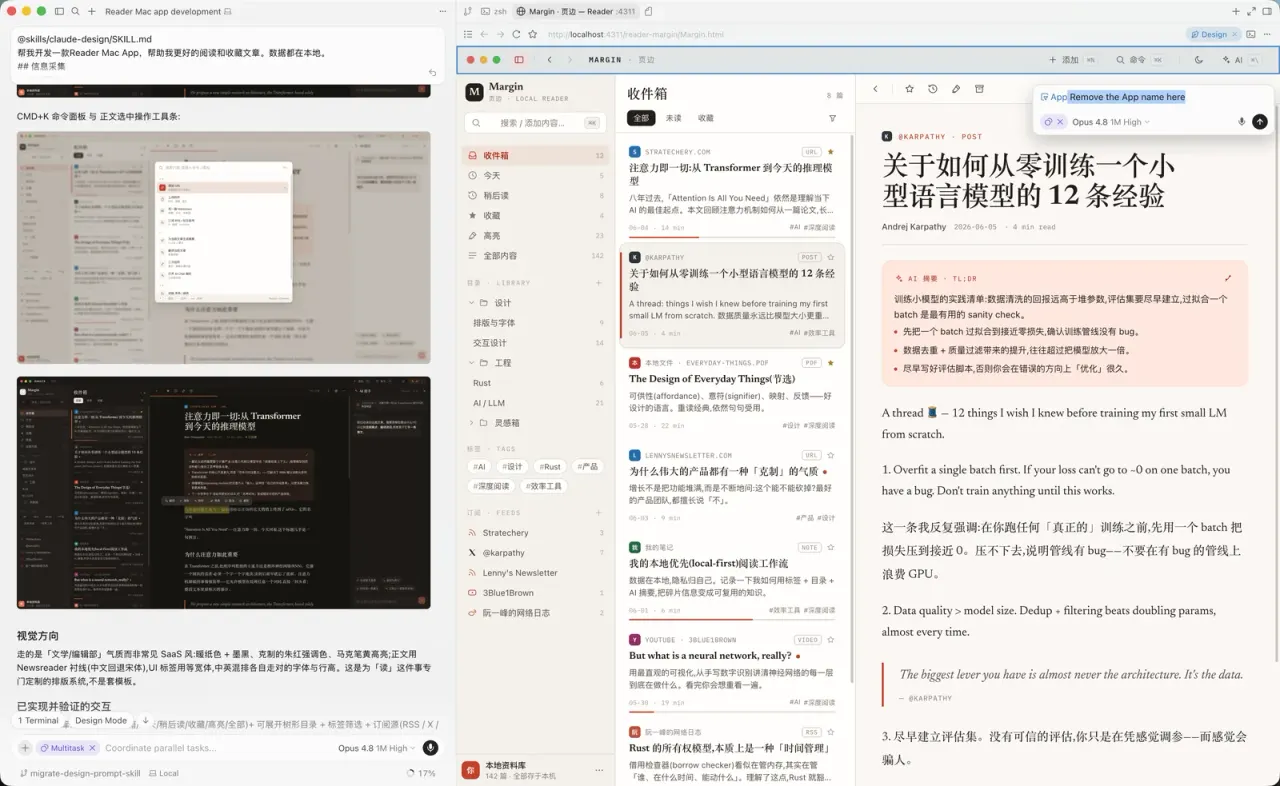
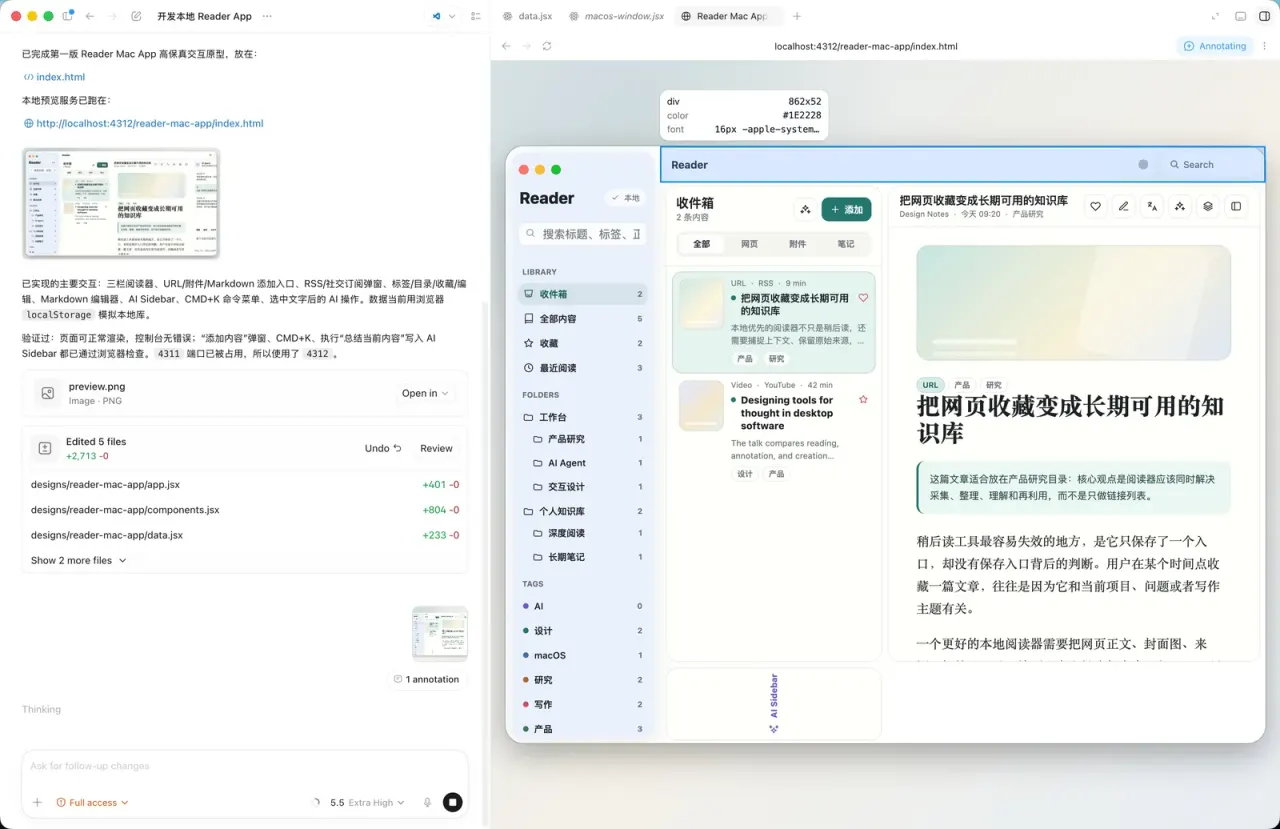
Ảnh từ README của tác giảBản xem trước hệ thống thiết kế được tạo từ Chakra UI Figma Kit
Ảnh từ README của tác giả JimLiu ·Nguồn
Bạn có thể làm gì với nó
- Nhanh chóng tạo một mockup HTML cho giao diện ứng dụng di động mới ngay trong Claude Code.
- Tạo một nguyên mẫu tương tác của bảng điều khiển web dựa trên mô tả văn bản về các tính năng và bố cục của nó.
- Thiết kế bố cục slide deck hoặc bài thuyết trình nhiều trang dưới dạng HTML độc lập để agent xem xét.
Kiểm tra an toàn
Không thấy dấu hiệu rủi ro trong các file đã quét.
Quét tự động các file trong repo. Luôn xem lại code trước khi chạy.
Trích từ README
baoyu-design
Run Claude Design on your own local agent — Cursor, Claude Code, Claude Desktop, or any file‑capable coding agent.
baoyu-design packages Claude Design — the design engine behind claude.ai/design — as a portable Agent Skill. Drop it into a local agent and you get most of what the website does, right inside your editor: polished UI mockups, interactive prototypes, wireframes, landing pages, dashboards, mobile apps, and slide decks — all produced as self‑contained HTML.
No website, no separate subscription, no upload step. The agent already on your machine does the work, and every artifact stays in your repo.
Screenshots
The same Reader Mac App prompt was used in Cursor, Codex, Claude, and Claude Design.
| Cursor | Codex | Claude | Claude Design |
|---|---|---|---|
Prompt used for all screenshots
Build a Reader Mac app that helps me read and save articles better. All data is stored locally.

## Information collection

1. Manual adding
Support manually adding different types of information:
- URL: enter a URL and automatically fetch content and images
- Attachments: upload PDFs, videos, and images
- Markdown editing: like publishing a blog post, enter the title, body, and cover image
- Other

2. Automatic subscriptions
- RSS feeds
- Social media accounts: X, Weibo, YouTube
- Other

## Editing and organization

1. Tags
Every item can have tags.

2. Categories and folders
Create tree-structured folders and place content in different categories.

3. Favorites
Users can click to favorite an item.

4. Editing
Every item can be edited with a built-in Markdown editor.

## AI assistance

1. Automatic translation
Support translation across different languages.

2. Summaries and abstracts
Generate summaries for captured content.

3. Derivative creation
Create new work based on one or more pieces of content.

4. Integrated AI Chat
Use AI Chat to call AI Agents that help process content.
Why run it locally
- Free yourself from the website. You get the vast majority of
claude.ai/design's capabilities without ever leaving your editor — same methodology, same craft standards, same output format. - Best with Opus 4.8. The skill is a long, demanding design brief; the stronger the model, the better the result. Pair it with Claude Opus 4.8 for the best output, and it still works well on other capable models.
- Iterate by pointing, not describing. Because the deliverable is plain HTML served on
localhost, you can lean on your agent's built‑in browser preview and element‑annotation tools (Cursor Browser / DevTools, Claude Preview, or Codex Browser). Point at a button in the live preview, say what you want changed, and the agent edits the underlying source — a tight, visual second‑pass editing loop that's hard to get on a website. - Everything is yours. Output lands in
designs//as self‑contained HTML you can version, fork, export, or ship.
What it can make
The skill drives a full design process — clarifying questions → gathering design context → producing one or more HTML deliverables → previewing and verifying. It ships a deep bench of built‑in skills and a set of ready‑made component scaffolds.
| Area | Built‑in skills |
|---|---|
| Core design | Hi‑fi design · Interactive prototype · Wireframe · Frontend aesthetic direction |
| Decks | Make a deck · Speaker notes |
| Mobile & motion | Mobile prototype · Animated video · Sound effects |
| Web & campaigns | Website & landing page · Social media content · HTML email · Flier · Trifold brochure |
| Data & research | Web research · Data science · Data visualization · Maps & geography · Experiment workflow |
| Documents, 3D & illustration | Make a doc · 3D object · Watercolor illustration |
| Design systems | Create design system · Use design system · Design system preview · Design Components (.dc.html) · Make tweakable |
| Import sources | Figma .fig (offline decode) · GitHub repo · Existing HTML/CSS |
| Export & handoff | Standalone HTML · PDF · PPTX (editable) · PPTX (screenshots) · Video (MP4) · Send to Figma · Send to Canva · Handoff to Claude Code |
| AI assets & integration | Gemini image generation · Call Claude from prototypes · Read PDF |
Starter components (in starter-components/) save the agent from hand‑rolling the basics: device, browser, and social-media shells; a pan‑zoom design canvas; slide, animation, chart, document, file, and 3D stages; a tweaks panel; a fillable image slot; and a watercolor painting runtime that replays a painting stroke by stroke.
How it works
The skill is plain Markdown plus a few JSX/JS scaffolds — no build step, no runtime.
skills/baoyu-design/
├── SKILL.md              # Entry point — orchestrates the whole flow
├── system-prompt.md      # The design methodology & craft standards (source of truth)
├── references/
│   ├── claude.md         # Tool map for Claude Code
│   ├── cursor.md         # Tool map for Cursor
│   └── codex.md          # Tool map for Codex Agent
├── built-in-skills/      # Specialized prompts (decks, mobile, import, export, …)
└── starter-components/   # Device/social shells, deck, chart, document, 3D, animation, …
When you ask for a design, the agent reads SKILL.md, loads the core methodology from system-prompt.md, detects whether it's running in Cursor, Claude Code, Codex Agent, or a generic file‑capable harness, and reads the matching reference doc when one exists. It then pulls in only the built‑in skill(s) the task needs. The split keeps craft rules harness‑independent while each environment resolves its own tools for asking questions, previewing, screenshotting, and verifying.
Quick start
Prerequisites
- A local agent — **[Cursor]