fast-agent
evalstate · evalstate/fast-agent
Công cụ CLI và framework này giúp người dùng lập trình, xây dựng, đánh giá và quản lý các tác nhân AI với sự hỗ trợ mạnh mẽ cho nhiều mô hình, kỹ năng và máy chủ Giao thức Ngữ cảnh Mô hình (MCP).
Lập trình, xây dựng và đánh giá các agent – hỗ trợ tuyệt vời cho Model và Skills/MCP/ACP/A2A
Xem kết quả thực tế
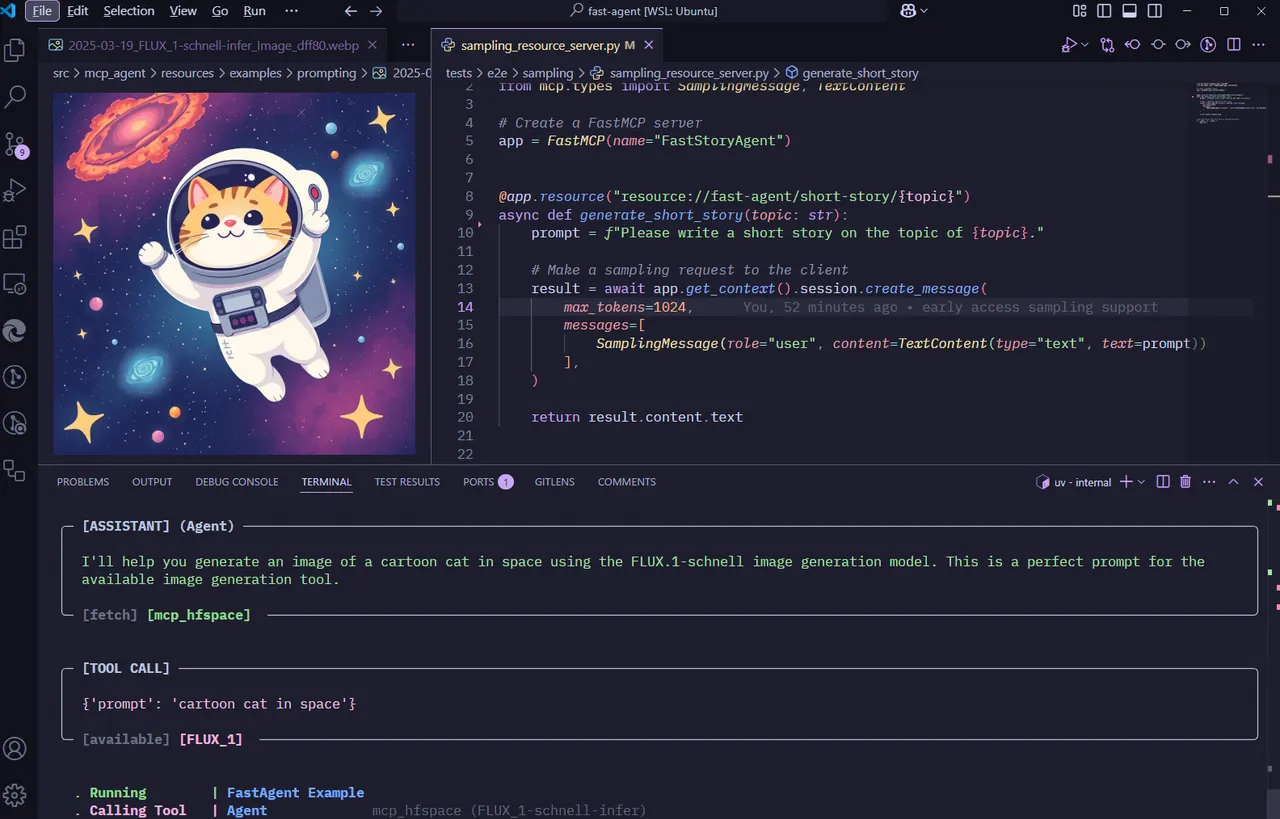
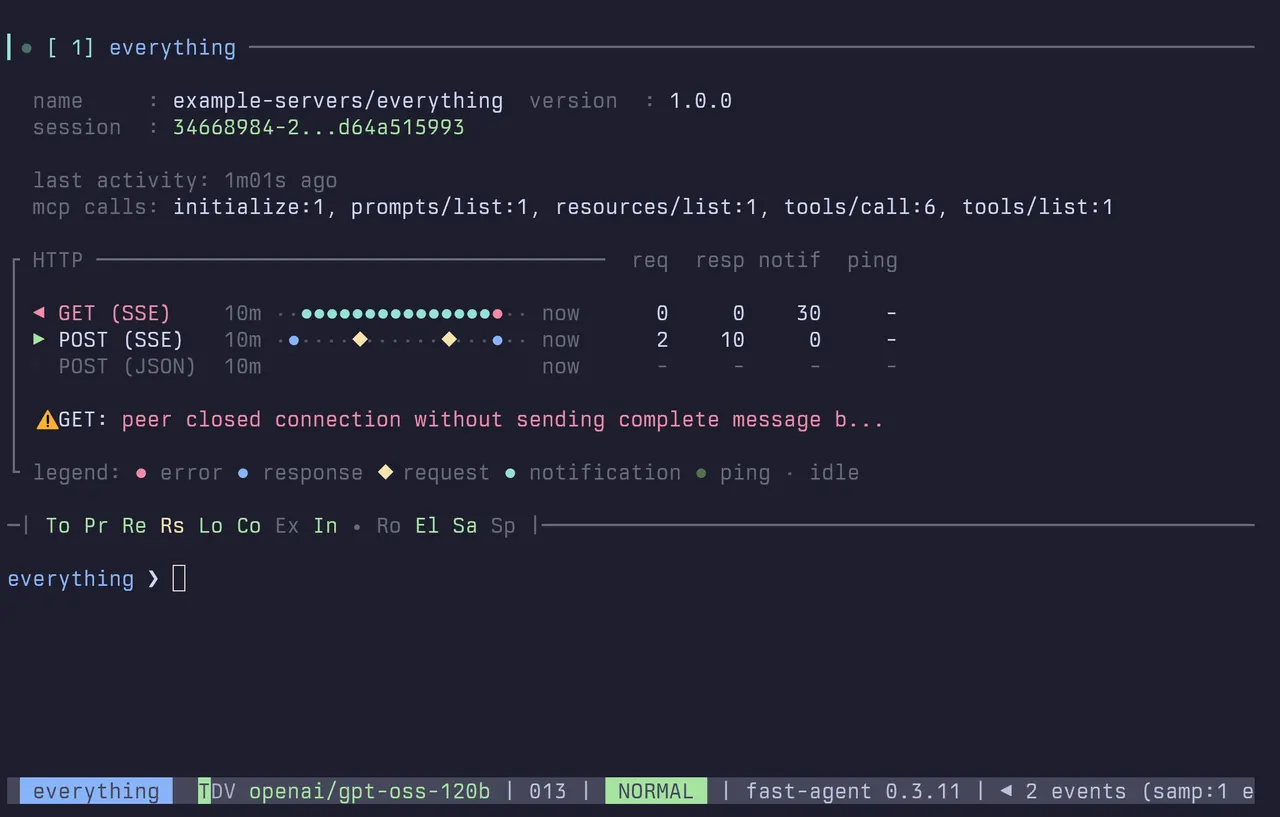
Ảnh từ README của tác giảFastAgent tạo hình ảnh mèo hoạt hình trong không gian thông qua gọi công cụ
Ảnh từ README của tác giả evalstate ·Nguồn
Bạn có thể làm gì với nó
- Phát triển và kiểm tra các tác nhân AI mới với quyền truy cập shell và các kỹ năng tùy chỉnh.
- Kết nối và quản lý nhiều máy chủ MCP từ một giao diện duy nhất.
- Tích hợp các mô hình LLM cục bộ hoặc nhà cung cấp suy luận Hugging Face vào quy trình làm việc của tác nhân của bạn.
Kiểm tra an toàn
Không thấy dấu hiệu rủi ro trong các file đã quét.
Quét tự động các file trong repo. Luôn xem lại code trước khi chạy.
Trích từ README
Start Here
[!TIP] Please see https://fast-agent.ai for latest documentation.
fast-agent is a flexible way to interact with LLMs, excellent for use as a Coding Agent, Development Toolkit, Evaluation or Workflow platform.
To start an interactive session with shell support, install uv and run
uvx fast-agent-mcp@latest -x
To start coding with Hugging Face inference providers or use your OpenAI Codex plan:
# Code with Hugging Face Inference Providers
uvx fast-agent-mcp@latest --pack hf-dev

# Code with Codex (agents optimized for OpenAI)
uvx fast-agent-mcp@latest --pack codex
Enter a shell with !, or run shell commands e.g. ! cd web && npm run build.
Manage skills with the /skills command, and connect to MCP Servers with /connect. The default fast-agent registry contains skills to let you set up LSP, Agent and Tool Hooks, Compaction strategies, Automation and more.
# /connect supports stdio or streamable http (with OAuth)

# Start a STDIO server
/connect @modelcontextprotocol/server-everything

# Connect to a Streamable HTTP Server
/connect https://huggingface.co/mcp
It's recommended to install fast-agent to set up the shell aliases and other tooling.
# Install fast-agent
uv tool install -U fast-agent-mcp

# Run fast-agent with opus, shell support and built-in subagents
fast-agent --model opus -xx
Use local models with the generic provider, or automatically create the correct configuration for llama.cpp:
fast-agent model llamacpp
Any fast-agent setup or program can be used with any ACP client - the simplest way is to use fast-agent-acp:
# Run fast-agent inside Toad
toad acp "fast-agent-acp -x --model sonnet"
fast-agent enables you to create and interact with sophisticated multimodal Agents and Workflows in minutes. It is the first framework with complete, end-to-end tested MCP Feature support including Sampling and Elicitations.
fast-agent is CLI-first, with an optional prompt_toolkit-powered interactive terminal prompt (TUI-style input, completions, and in-terminal menus); responses can stream live to the terminal via rich without relying on full-screen curses UIs or external GUI overlays.
The simple declarative syntax lets you concentrate on composing your Prompts and MCP Servers to build effective agents.
Model support is comprehensive with native support for Anthropic, OpenAI and Google providers as well as Azure, Ollama, Deepseek and dozens of others via TensorZero. Structured Outputs, PDF and Vision support is simple to use and well tested. Passthrough and Playback LLMs enable rapid development and test of Python glue-code for your applications.
Recent features include:
- Agent Skills (SKILL.md)
- MCP Apps
- OpenAI Apps SDK
- Shell Mode
- Advanced MCP Transport Diagnsotics
- MCP Elicitations
fast-agent is the only tool that allows you to inspect Streamable HTTP Transport usage - a critical feature for ensuring reliable, compliant deployments. OAuth is supported with KeyRing storage for secrets. Use the fast-agent auth command to manage.
[!IMPORTANT]
Documentation is included in this repository under
docs/. Use the docs helper script from the repository root to install, generate, build, serve, screenshot, and assess the site.
Agent Application Development
Prompts and configurations that define your Agent Applications are stored in simple files, with minimal boilerplate, enabling simple management and version control.
Chat with individual Agents and Components before, during and after workflow execution to tune and diagnose your application. Agents can request human input to get additional context for task completion.
Simple model selection makes testing Model <-> MCP Server interaction painless. You can read more about the motivation behind this project here
Get started:
Start by installing the uv package manager for Python. Then:
uv pip install fast-agent-mcp          # install fast-agent!
fast-agent go                          # start an interactive session
fast-agent go --url https://hf.co/mcp  # with a remote MCP
fast-agent go --model=generic.qwen2.5  # use ollama qwen 2.5
fast-agent go --pack analyst --model haiku  # install/reuse a card pack and launch it
fast-agent scaffold                    # create an example agent and config files
uv run agent.py                        # run with default_model or FAST_AGENT_MODEL configured
uv run agent.py --model='gpt-5.4-mini?reasoning=low'    # specify a model
uv run agent.py --transport http --port 8001  # expose as MCP server (server mode implied)
fast-agent quickstart workflow  # create "building effective agents" examples
With no configured model, an interactive run opens the model picker.
Automation and server runs must pass --model, set FAST_AGENT_MODEL, configure
default_model, or declare a model on the agent.
For packaged starter agents, use fast-agent go --pack <name> --model <model>.
This installs the pack into the selected fast-agent home if needed, then
starts go normally. --model is a fallback for cards without an explicit
model setting; a model declared directly in an AgentCard still wins.
Other quickstart examples include a Researcher Agent (with Evaluator-Optimizer workflow) and Data Analysis Agent (similar to the ChatGPT experience), demonstrating MCP Roots support.
[!TIP] Windows Users - there are a couple of configuration changes needed for the Filesystem and Docker MCP Servers - necessary changes are detailed within the configuration files.
Basic Agents
Defining an agent is as simple as:
@fast.agent(
  instruction="Given an object, respond only with an estimate of its size."
)
We can then send messages to the Agent:
async