claude-obsidian
AgriciDaniel · AgriciDaniel/claude-obsidian
Cho phép Claude Code xây dựng cơ sở tri thức Obsidian tự tổ chức từ bất kỳ nguồn nào, tạo các ghi chú Markdown được liên kết và câu trả lời dựa trên vault của bạn.
Self-organizing AI second brain for Obsidian + Claude Code. Drop any source and Claude reads, links, and files it into one connected knowledge graph of plain Markdown you own. AI note-taking, personal knowledge management (PKM), and an open-source Notion alternative. Based on Karpathy's LLM Wiki pattern.
Xem kết quả thực tế
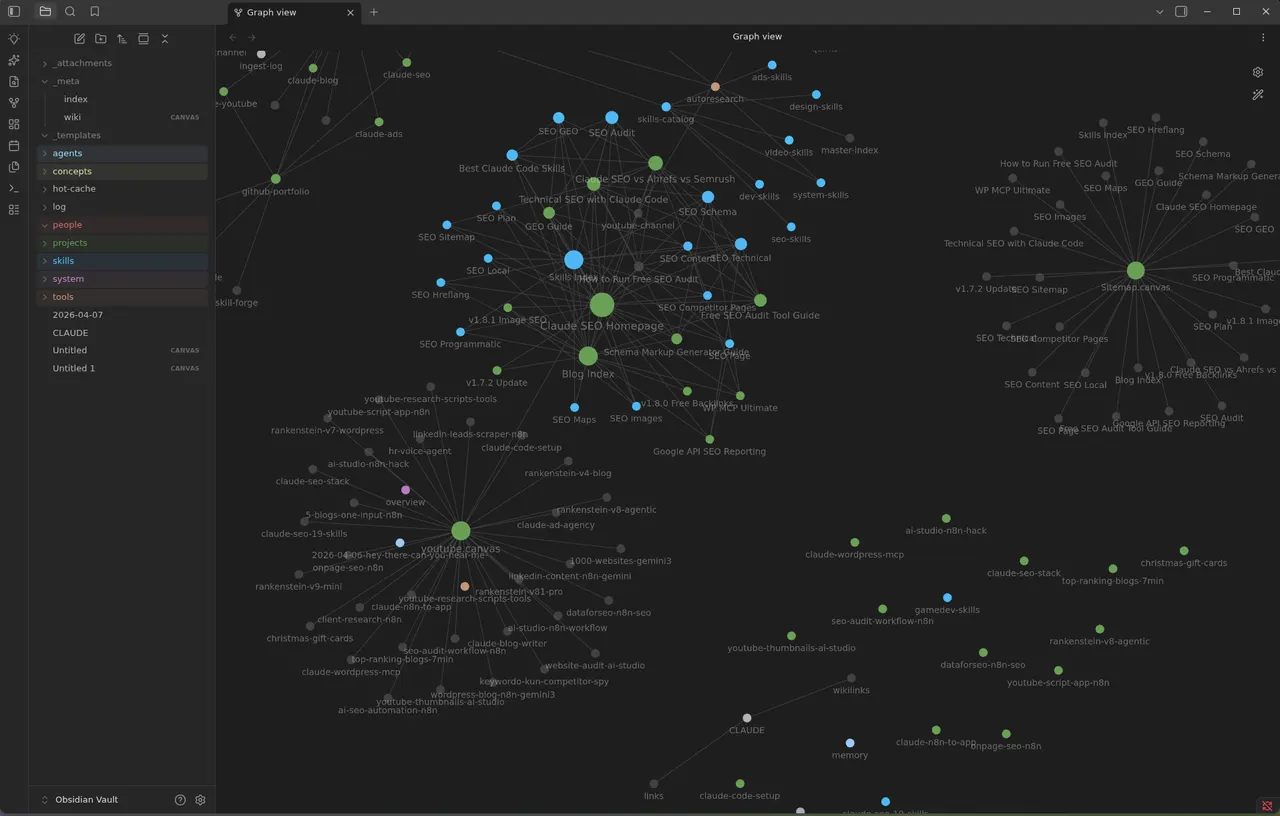
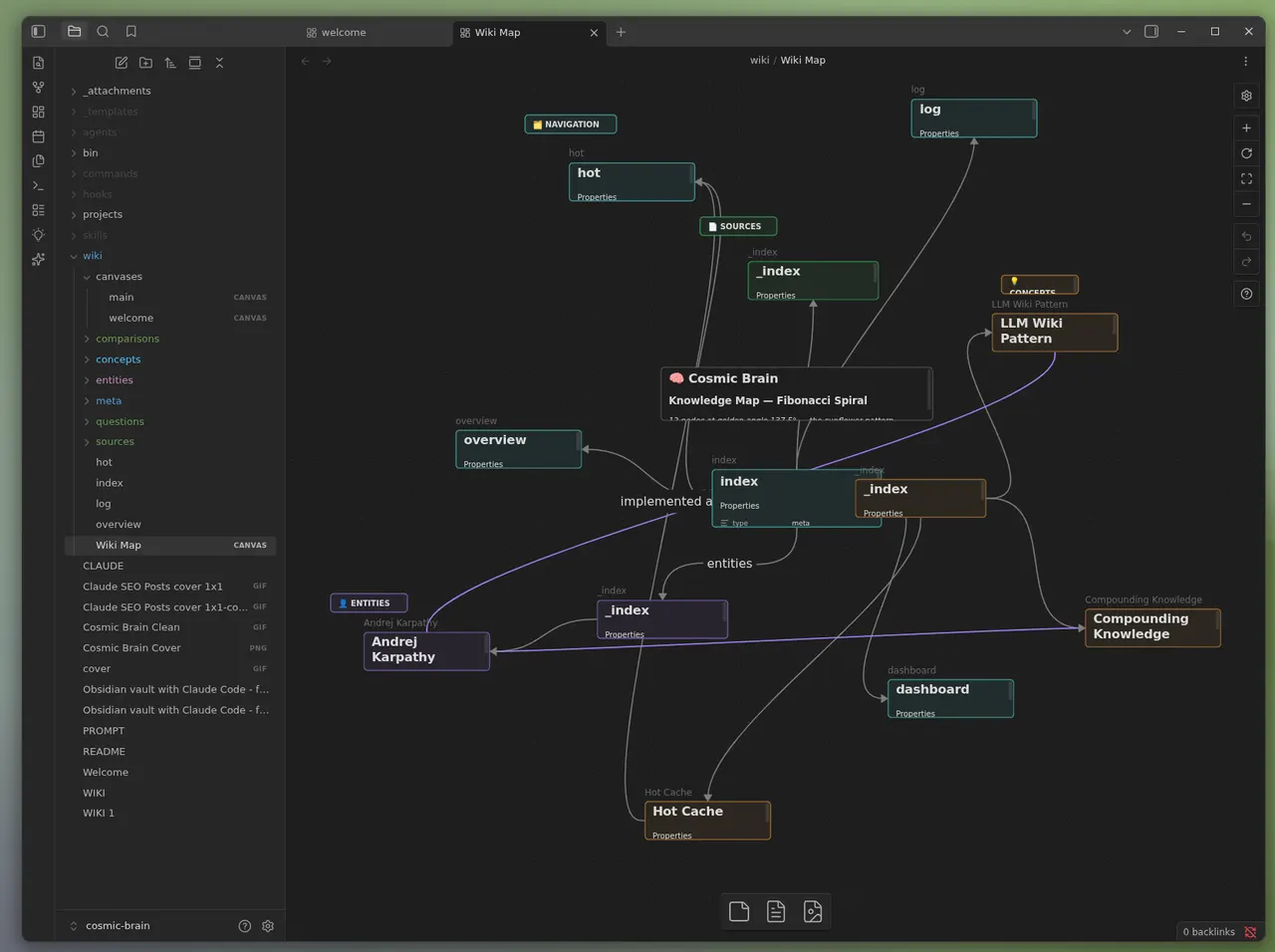
Ảnh từ README của tác giảChế độ xem Graph trong Obsidian hiển thị cơ sở tri thức được xây dựng với Claude
Ảnh từ README của tác giả AgriciDaniel ·Nguồn
Bạn có thể làm gì với nó
- Xây dựng kho lưu trữ nghiên cứu cá nhân được hỗ trợ bởi AI bằng cách cung cấp cho Claude Code nhiều bài báo và tài liệu.
- Tổ chức tài liệu dự án thành một biểu đồ tri thức liên kết mà Claude có thể truy vấn để tìm câu trả lời.
- Tạo một 'bộ não thứ hai' liên tục phát triển, ghi nhớ ngữ cảnh và nguồn gốc cho AI agent của bạn.
Kiểm tra an toàn
Không thấy dấu hiệu rủi ro trong các file đã quét.
Quét tự động các file trong repo. Luôn xem lại code trước khi chạy.
Trích từ README
claude-obsidian
Build an Obsidian knowledge base that becomes more useful every time you use it. Capture sources, create connected notes, retrieve grounded answers, and keep the vault healthy—without giving up ownership of your files.
See the workflow · Quick start · Explore the skills · Installation guide · Windows & WSL
claude-obsidian is a local-first knowledge system for Claude Code and compatible Agent Skills hosts. It turns source material into linked, source-cited Obsidian pages; answers from the evidence already in the vault; and provides explicit workflows for research, retrieval, maintenance, and visual mapping.
Your vault remains a normal directory of Markdown, JSON, and source files. It is not hidden in a plugin cache, locked in a cloud database, or silently uploaded to a model.
From source to living knowledge
Most AI note workflows stop after saving text. claude-obsidian is organized around a repeatable loop: retain the source, ground the claims, connect the knowledge, then put it back to work.
- Capture with context. Bring local sources through a visible inbox and preserve immutable, content-addressed copies before synthesis.
- Ground every important claim. Source and claim ledgers retain authority, freshness, support, contradiction, confidence, and review state.
- Connect what you learn. Build linked pages, indexes, Maps of Content, methodology-aware structures, and Obsidian Canvas views.
- Use the vault again. Query, research, retrieve, lint, and fold what is already known instead of starting every conversation from zero.
See the vault
The output is meant to remain useful with or without an agent: plain Markdown for portability, Obsidian for navigation and visual exploration.
Linked knowledge in Graph view · A visual knowledge map in Obsidian Canvas
Why it feels different
- Local by default. The vault is user-owned and works as ordinary files. Network egress is a separate, explicit decision.
- Sources survive the summary. Notes point back to durable source evidence; unsupported and contradictory claims remain visible.
- Knowledge compounds deliberately. Ingestion, querying, linting, retrieval, research, and rollups share one provenance-aware model.
- Parallel agents cannot race the vault. Workers return drafts. One orchestrator inspects and applies one recoverable transaction.
- Capabilities are stated honestly. Optional tools are detected, maturity is declared, and missing adapters degrade clearly instead of being simulated.
This is not an automatic transcript recorder, a cloud sync service, a factual oracle, or a substitute for backups and source control.
Quick start
The safest first run uses a source checkout and a separate user vault. Every mutating setup command previews its exact operation before it can apply.
1. Get the product
git clone https://github.com/AgriciDaniel/claude-obsidian.git
cd claude-obsidian
The checkout contains the product. It is not your knowledge vault.
2. Initialize a separate vault
export GENERATED_AT="$(date -u +%Y-%m-%dT%H:%M:%SZ)"
export OPERATION_ID="init-reviewed"

python3 scripts/claude-obsidian.py init "$HOME/Documents/MyKnowledgeVault" \
  --generated-at "$GENERATED_AT" --operation-id "$OPERATION_ID"
Review the JSON plan and copy its approved_plan_sha256, then apply that exact
operation:
python3 scripts/claude-obsidian.py init "$HOME/Documents/MyKnowledgeVault" \
  --generated-at "$GENERATED_AT" --operation-id "$OPERATION_ID" \
  --approved-plan-sha256 "<sha256-from-the-plan>" --apply
For an existing Obsidian vault, use the non-destructive adopt workflow
described in the installation guide.
3. Start from the vault
Open the new directory in Obsidian, then run Claude Code from that directory with the local plugin:
cd "$HOME/Documents/MyKnowledgeVault"
claude --plugin-dir /absolute/path/to/claude-obsidian
Start with:
/claude-obsidian:wiki
Then place a source in inbox/ and invoke
/claude-obsidian:wiki-ingest. Save an answer explicitly with
/claude-obsidian:save; ask the vault with /claude-obsidian:wiki-query.
For Codex, OpenCode, Gemini, or ZCode, preview and then apply the portable skill links from the product checkout:
bash scripts/setup-multi-agent.sh --host codex
bash scripts/setup-multi-agent.sh --host codex --apply
Cursor and Windsurf use workspace-local skill discovery. Marketplace setup, every supported host, vault adoption, upgrades, and uninstall steps are covered in the full installation guide.
15 skills, one system
The skills are small enough to invoke directly and coordinated enough to share the same evidence, vault-selection, and mutation rules.
Build and use the wiki
| Skill | What it does |
|---|---|
wiki | Initializes or adopts a vault, diagnoses readiness, and routes work |
save | Saves one scoped answer or insight—never an automatic transcript |
wiki-ingest | Turns captured sources into linked pages and provenance records |
wiki-query | Answers read-only from relevant vault evidence |
wiki-lint | Reports dead links, orphans, metadata gaps, stale indexes, and empty sections |
Extend the workflow
| Skill | What it adds |
|---|---|
autoresearch | Bounded web research with explicit egress and a separate canonical merge |
canvas | Wiki-scoped Obsidian Canvas creation and maintenance |
defuddle | Clean, readable web content before ingestion |
wiki-fold | Extractive, traceable rollups of the operation log |
wiki-mode | Generic, LYT, PARA, or Zettelkasten filing conventions |
wiki-retrieve | Contextual prefixes, BM25, and optional cosine reranking |
wiki-cli | Obsidian CLI reads and search with transaction-safe writes |