agentmemory
rohitg00 · rohitg00/agentmemory
A plugin offering persistent memory for AI coding agents like Claude Code and Cursor, extending their knowledge base with confidence scoring, knowledge graphs, and hybrid search.
#1 Persistent memory for AI coding agents based on real-world benchmarks
See it in action


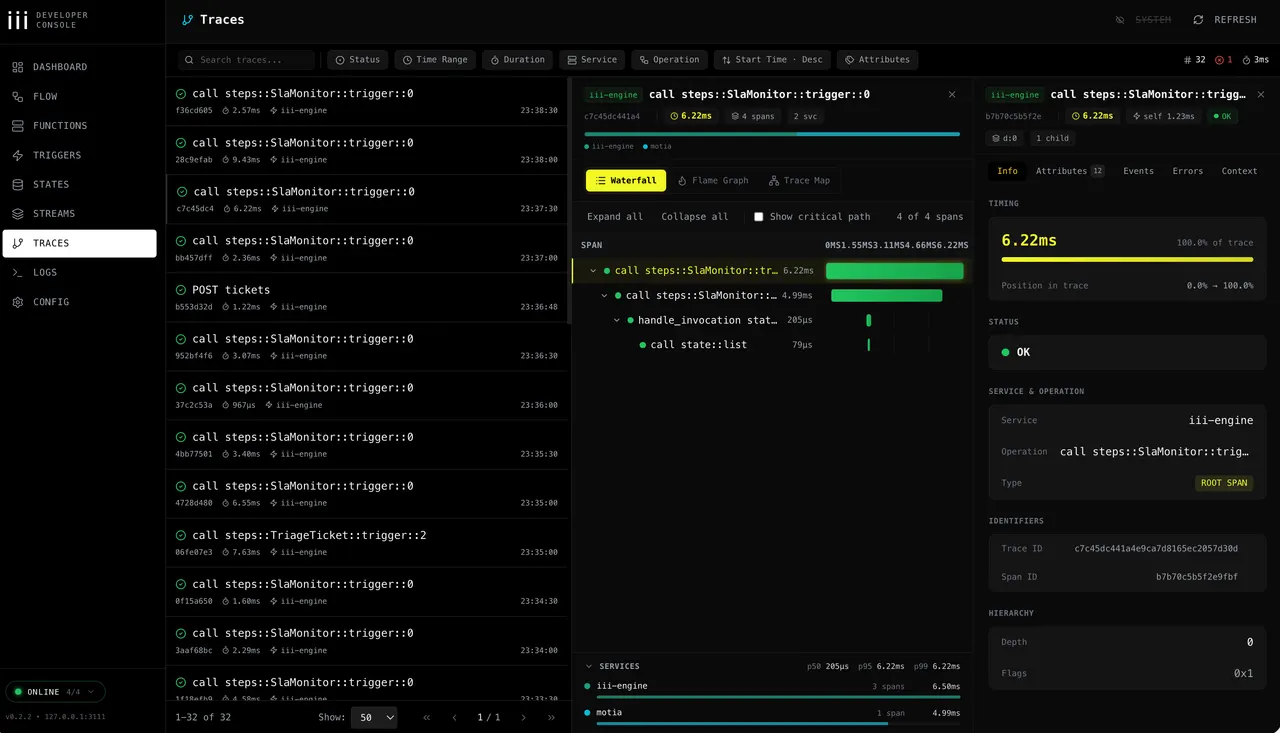
From the author's READMEList of stored memories with title, type, and strength indicators.
From the author's README rohitg00 ·Source
What you can do with it
- Allow a coding agent to remember previous conversations and project details.
- Prevent context window limitations from hindering long development cycles.
- Build a custom knowledge base for an agent to retrieve relevant information efficiently.
Try asking your agent
- “Describe the architecture of the microservices we designed for the e-commerce platform last month.”
- “Based on our previous discussion, what were the main challenges identified for scaling the user authentication service?”
- “Summarize the key decisions made regarding the database choice for the new analytics module. Use mem::search.”
Safety check
Usable, but read the notes first.
- ●Installer downloads a remote script and pipes it to the shell.
README.md
Automated scan of the repo files. Always review code you run.
From the README
English | 简体中文 | 繁體中文 | 日本語 | 한국어 | Español | Türkçe | Русский | हिन्दी | Português | Français | Deutsch
The gist extends Karpathy's LLM Wiki pattern with confidence scoring, lifecycle, knowledge graphs, and hybrid search: agentmemory is the implementation.
Install • Quick Start • Benchmarks • vs Competitors • Agents • How It Works • MCP • Viewer • Powered by iii • Config • API
Install
Requirements:
- Node.js 20 or newer with npm and npx (
node -v,npm -v, andnpx -v). - macOS/Linux automatic iii-engine installation also needs
curl, a POSIXsh, andtar. Minimal images such asnode:20-slimmay not include them. - Native Windows requires the pinned iii-engine v0.22.1
iii.exeto be installed manually. WSL2 or Docker Desktop are the other supported paths.
Canonical fresh-install command:
npx -y @agentmemory/agentmemory@latest
The first run is an interactive setup: pick the agents to wire (Claude Code, Cursor, Codex, Gemini CLI, OpenCode, ...), pick an LLM provider or stay keyless, and it seeds the config, starts the memory server and its pinned iii engine, and offers to install globally so the bare agentmemory command works everywhere afterward. -y accepts npx's package prompt and @latest avoids a stale cached release. A provider makes LLM features available, but LLM-written observation compression starts only when AGENTMEMORY_AUTO_COMPRESS=true is also set.
Keyless mode disables vector embeddings. memory_recall (the mem::search path) uses BM25, while memory_smart_search can also fuse structural graph matches when graph data already exists. For free on-device semantic recall, set EMBEDDING_PROVIDER=local in ~/.agentmemory/.env and restart. The first embedding request downloads Xenova/all-MiniLM-L6-v2; inference runs locally after that initial model download.
The local runtime uses four ports: 3111 for REST/MCP HTTP, 3112 for iii streams, 3113 for the viewer, and 49134 for the iii worker WebSocket. Persistent iii state lives in ~/Library/Application Support/agentmemory on macOS, $XDG_DATA_HOME/agentmemory or ~/.local/share/agentmemory on Linux, and %APPDATA%\agentmemory on Windows. Use --data-dir or AGENTMEMORY_DATA_DIR to override it, and reuse the same value on every restart. For backward compatibility, an existing ./data/state_store.db or ./data/iii-config.yaml takes precedence over the platform default for instance 0; an explicit flag or environment override still wins.
Then prove recall works and give your agent its skills:
npx -y @agentmemory/agentmemory@latest demo  # seed sample sessions + exercise recall
npx skills add rohitg00/agentmemory -y   # 17 native skills so your agent knows when to reach for memory
The keyword searches should hit in default keyless mode through BM25. The demo's database performance optimization query is intentionally semantic and can return zero until an embedding provider is configured.
Prefer to let a coding agent do the whole thing? Hand it one instruction:
Retrieve and follow the instructions at: https://raw.githubusercontent.com/rohitg00/agentmemory/main/INSTALL_FOR_AGENTS.md
Wire more agents any time with agentmemory connect — 20 adapters listed at Works with every agent. Full command reference at Quick Start.
Windows
The fast path is WSL2. Native Windows engine setup requires the pinned v0.22.1 ZIP to be downloaded and iii.exe extracted manually; the CLI does not auto-extract it. Docker Desktop is also supported. See the Windows notes for the step-by-step.
Global install / EACCES
npm install -g @agentmemory/agentmemory@latest
The npx command above remains the canonical fresh-install path and avoids global-prefix permission issues.
npx serves an old version
npx caches per version. Force the latest with npx -y @agentmemory/agentmemory@latest, or clear the cache once with rm -rf ~/.npm/_npx (macOS/Linux; on Windows delete %LOCALAPPDATA%\npm-cache\_npx).
Already running your own iii engine
agentmemory pins iii-engine v0.22.1 and won't attach to a different version (the worker can't speak another engine's protocol). Stop the other engine, then run npx -y @agentmemory/agentmemory@latest. It installs and runs the pinned v0.22.1 in ~/.agentmemory/bin, leaving your own iii untouched.
agentmemory works with any agent that supports hooks, MCP, or REST API. All agents share the same memory server.
Claude Code native plugin + 12 hooks + MCP
Codex CLI native plugin + 6 hooks + MCP
GitHub Copilot CLI MCP + plugin hooks/skills
OpenClaw native plugin + MCP
Hermes native plugin + MCP
pi native plugin + MCP
OpenHuman native Memory trait backend
Cursor native plugin + MCP
Gemini CLI MCP server
OpenCode 22 hooks + MCP + plugin
Cline MCP server
Goose MCP server
Kilo Code MCP server
Aider REST API
Claude Desktop MCP server
Devin 6 hooks + MCP
Roo Code MCP server
Warp connect + MCP + skills
Works with any agent that speaks MCP or HTTP. One server, memories shared across all of them.
You explain the same architecture every session. You re-discover the same bugs.