mcp-client-for-ollama
jonigl · jonigl/mcp-client-for-ollama
A simple yet powerful Python TUI MCP Client for Ollama, enabling local LLMs with advanced tool execution, agent mode, and human-in-the-loop capabilities.
Harness the power of local LLMs with this TUI MCP Client for Ollama. Featuring all core MCP primitives (tools, prompts, resources), agent mode, multi-server, model switching, streaming responses, human-in-the-loop, thinking mode, model params config, system prompts, and saved preferences.
See it in action
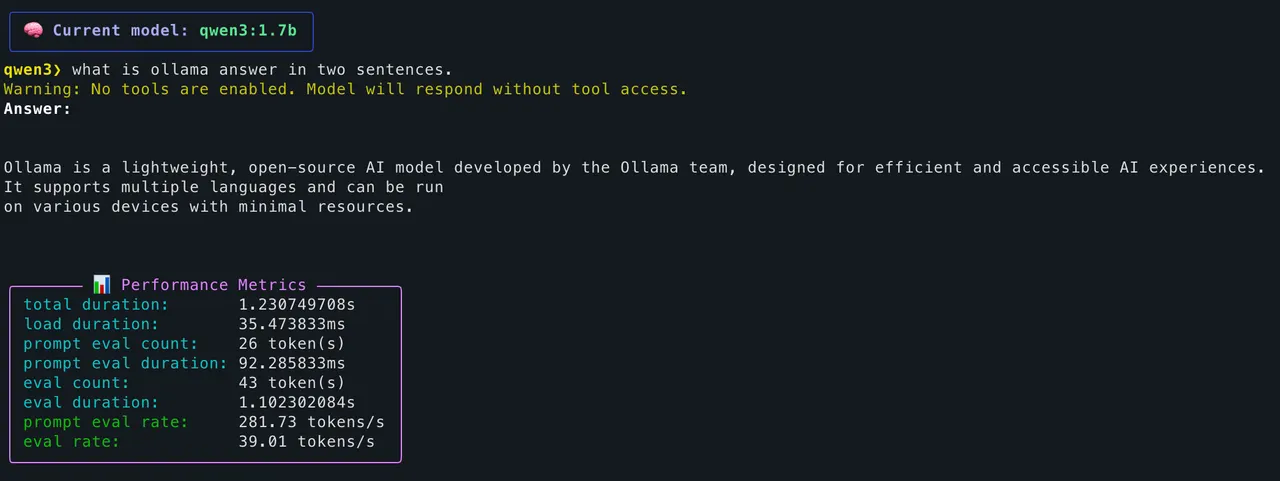
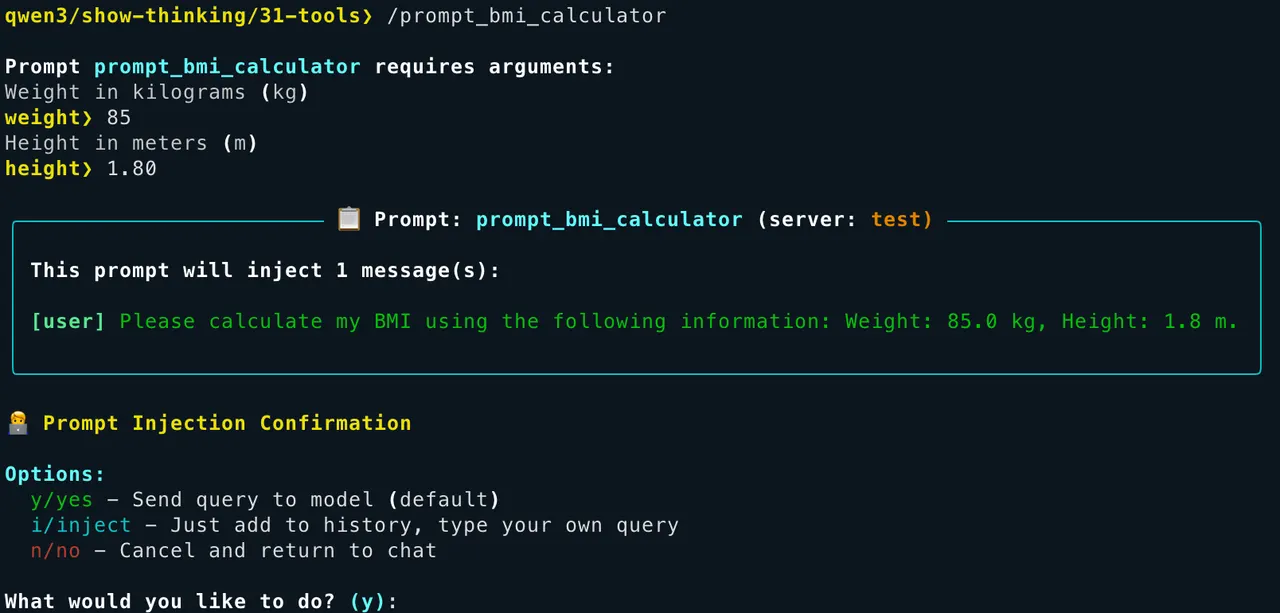
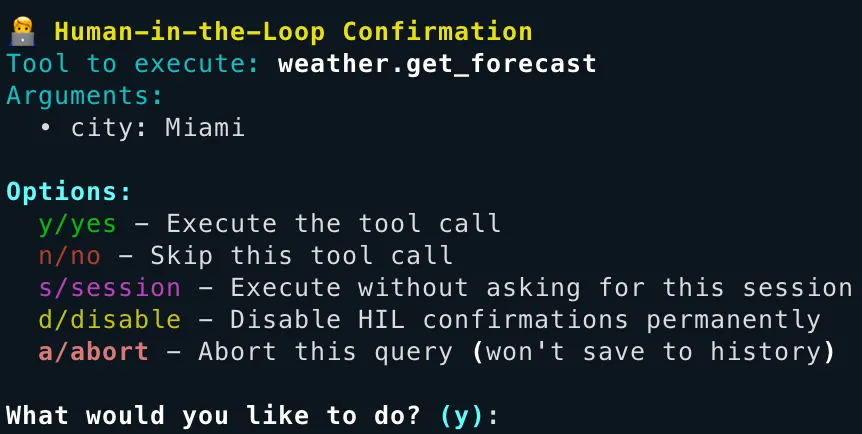
From the author's READMEModel response and detailed performance metrics in the terminal
From the author's README jonigl ·Source
What you can do with it
- Harness local LLMs running on Ollama to execute MCP tools for various tasks.
- Interact with MCP servers and manage agent workflows using a powerful command-line interface.
- Develop and test AI agent skills and prompts for local LLM environments.
Safety check
No risky patterns found in the files we scanned.
Automated scan of the repo files. Always review code you run.
From the README
A simple yet powerful Python client for interacting with Model Context Protocol (MCP) servers using Ollama, allowing you to harness local LLMs for advanced tool execution.
English | 简体中文 | Español
MCP Client for Ollama (ollmcp)
Sponsored by
Learn how to use Atlas Cloud with ollmcp in the Sponsors section
🎥 Watch this demo as an Asciinema recording
Table of Contents
- Overview
- Features
- Requirements
- Quick Start
- Installation Options
- Troubleshooting
- ✨NEW Managing MCP Servers via CLI
- Interactive Commands
- Autocomplete and Prompt Features
- Configuration Management
- Server Configuration Format
- Compatible Models
- ✨NEW Sponsors
- Where Can I Find More MCP Servers?
- Related Projects
- Security
- License
- Acknowledgments
Overview
MCP Client for Ollama (ollmcp) is a modern, interactive terminal application (TUI) built for harness engineering, connecting local Ollama LLMs to one or more Model Context Protocol (MCP) servers. By fully supporting the core MCP primitives (tools, prompts, and resources), it provides a controlled terminal space where you steer, and the agent executes. With a rich, user-friendly interface, it lets you safely manage your setup in real time with no coding required. Whether you're building, testing, or exploring, this client streamlines your workflow with features like fuzzy autocomplete, advanced model configuration, MCP server hot-reloading for rapid development, and strict Human-in-the-Loop safety controls.
Features
- 🤖 Agent Mode: Iterative tool execution when models request multiple tool calls, with a configurable loop limit and interactive choices when the limit is reached (continue, wrap up, or abort)
- 🌐 Multi-Server Support: Connect to multiple MCP servers simultaneously
- 🚀 Multiple Transport Types: Supports STDIO, SSE, and Streamable HTTP server connections
- 📋 MCP Prompts Support: Browse, invoke, and manage prompts from MCP servers with argument collection, preview, and safe rollback
- 📦 MCP Resources Support: Browse and read contextual data from MCP servers including files, documents, and structured data
- ☁️ Ollama Cloud Support: Works seamlessly with Ollama Cloud models for tool calling, enabling access to powerful cloud-hosted models while using local MCP tools
- 🌍 Multiple LLM Providers: Use Ollama (default) or OpenAI-compatible providers (OpenAI, OpenRouter, DeepSeek, etc.), with connection settings remembered per provider
- 🎨 Rich Terminal Interface: Interactive console UI with modern styling
- 🌊 Streaming Responses: View model outputs in real-time as they're generated
- 📝 Answer Display Modes: Switch between Plain, Markdown, Both, or Markdown (blocks) response views while streaming
- 🛠️ Tool Management: Enable/disable specific tools or entire servers during chat sessions
- 🧑💻 Human-in-the-Loop (HIL): Review and approve tool executions before they run for enhanced control and safety
- 🎮 Advanced Model Configuration: Fine-tune 15+ model parameters including context window size, temperature, sampling, repetition control, and more
- 💬 System Prompt Customization: Define and edit the system prompt to control model behavior and persona
- 🧠 Context Window Control: Adjust the context window size (num_ctx) to handle longer conversations and complex tasks
- 🎨 Enhanced Tool Display: Beautiful, structured visualization of tool executions with JSON syntax highlighting
- 🧠 Context Management: Control conversation memory with configurable retention settings
- 🤔 Thinking Mode: Advanced reasoning capabilities with visible thought processes for supported models (e.g., gpt-oss, deepseek-r1, qwen3, etc.)
- 💪 **Reaso