mcptools
f · f/mcptools
MCP Tools is a versatile command-line interface for discovering, calling, and managing tools, resources, and prompts from any MCP-compatible server.
A command-line interface for interacting with MCP (Model Context Protocol) servers using both stdio and HTTP transport.
See it in action
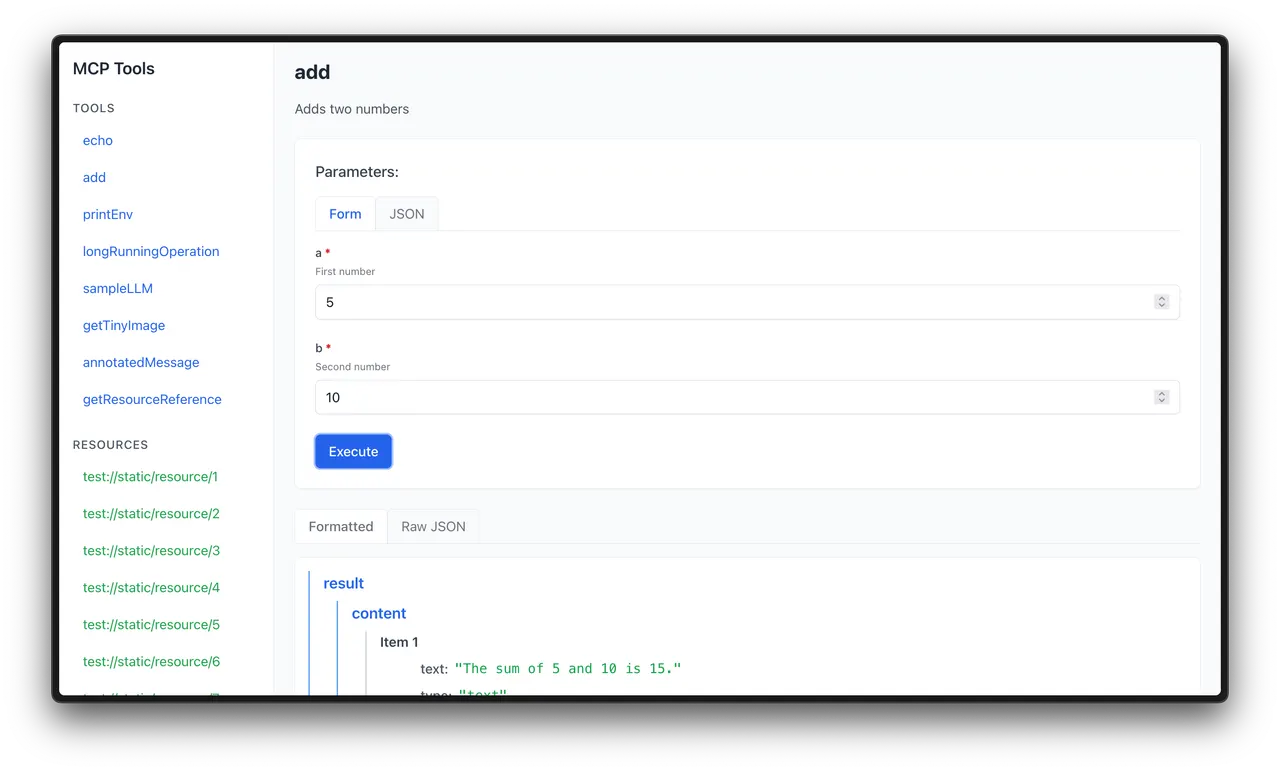
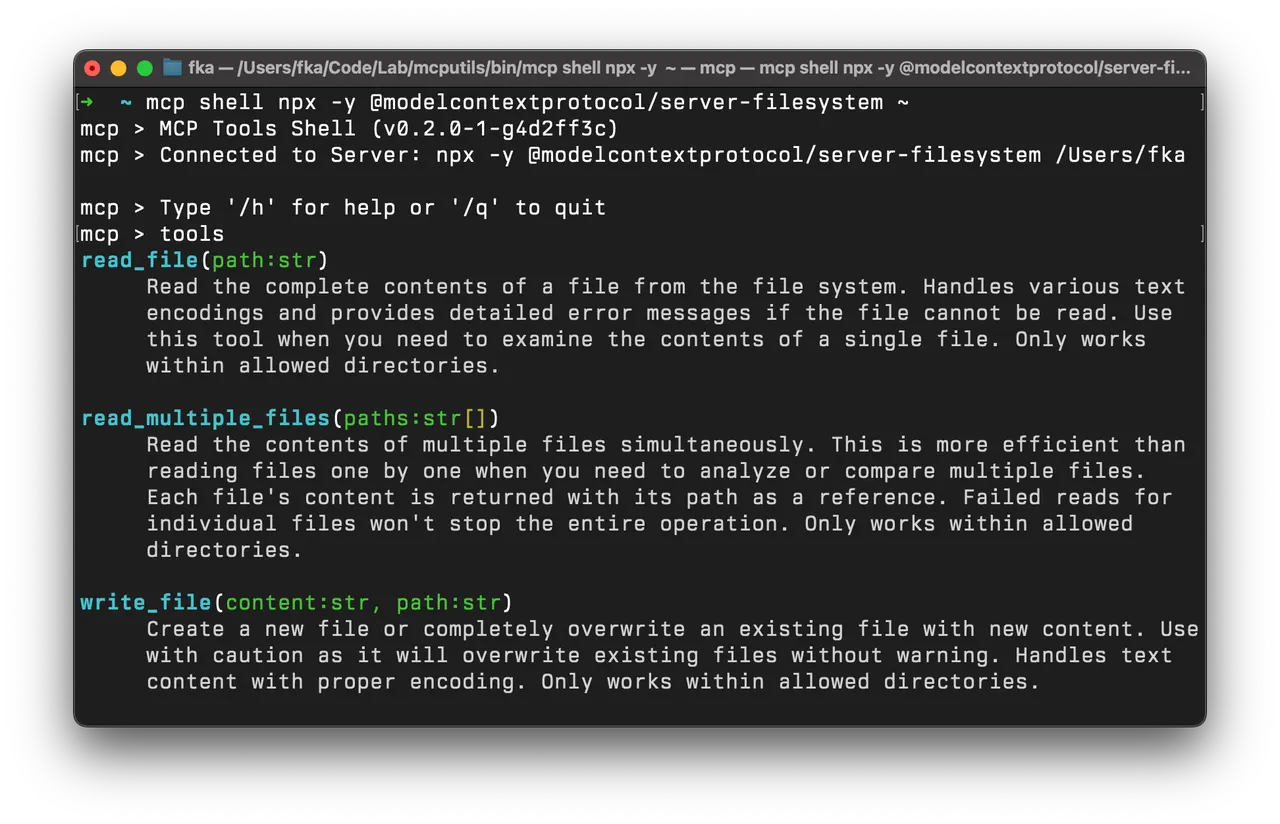
From the author's READMEExecuting an MCP tool and viewing the formatted result in the web UI
From the author's README f ·Source
What you can do with it
- Test an MCP server's functionalities by calling its tools and accessing resources from the command line.
- Create a mock MCP server to simulate responses for testing AI agent applications locally.
- Scaffold new MCP projects and manage configurations for LLM applications.
Safety check
No risky patterns found in the files we scanned.
Automated scan of the repo files. Always review code you run.
From the README
Swiss Army Knife for MCP Servers
A comprehensive command-line interface for interacting with MCP (Model Context Protocol) servers.

Discover, call, and manage tools, resources, and prompts from any MCP-compatible server.

Supports multiple transport methods, output formats, and includes powerful mock and proxy server capabilities.
Table of Contents
- Overview
- Difference Between the MCP Inspector and MCP Tools
- Installation
- Getting Started
- Features
- Server Aliases
- LLM Apps Config Management
- Server Modes
- Examples
- Contributing
- Roadmap
- License
Overview
MCP Tools provides a versatile CLI for working with Model Context Protocol (MCP) servers. It enables you to:
- Discover and call tools provided by MCP servers
- Access and utilize resources exposed by MCP servers
- Create mock servers for testing client applications
- Proxy MCP requests to shell scripts for easy extensibility
- Create interactive shells for exploring and using MCP servers
- Scaffold new MCP projects with TypeScript support
- Format output in various styles (JSON, pretty-printed, table)
- Guard and restrict access to specific tools and resources
- Support all transport methods (HTTP, stdio)
Installation
Using Homebrew (for macOS)
brew tap f/mcptools
brew install mcp
❕ The binary is installed as
mcpbut can also be accessed asmcptto avoid conflicts with other tools that might use themcpcommand name.
From Source (for Windows and GNU/Linux)
go install github.com/f/mcptools/cmd/mcptools@latest
❕ The binary will be installed as
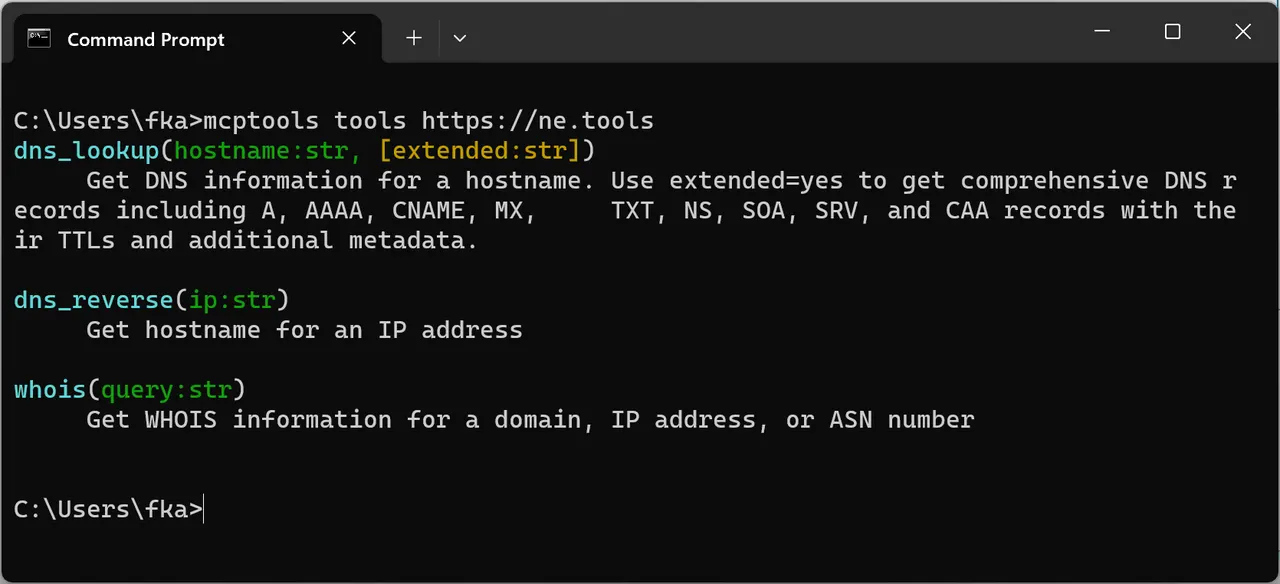
mcptoolswhen but can be aliased tomcptfor convenience.Windows 11 Running Example
Getting Started
The simplest way to start using MCP Tools is to connect to an MCP server and list available tools:
# List all available tools from a filesystem server
mcp tools npx -y @modelcontextprotocol/server-filesystem ~

# Call a specific tool
mcp call read_file --params '{"path":"README.md"}' npx -y @modelcontextprotocol/server-filesystem ~

# Open an interactive shell
mcp shell npx -y @modelcontextprotocol/server-filesystem ~
Features
MCP Tools supports a wide range of features for interacting with MCP servers:
Usage:
  mcp [command]

Available Commands:
  version       Print the version information
  tools         List available tools on the MCP server
  resources     List available resources on the MCP server
  prompts       List available prompts on the MCP server
  call          Call a tool, resource, or prompt on the MCP server
  get-prompt    Get a prompt on the MCP server
  read-resource Read a resource on the MCP server
  shell         Start an interactive shell for MCP commands
  web           Start a web interface for MCP commands
  mock          Create a mock MCP server with tools, prompts, and resources
  proxy         Proxy MCP tool requests to shell scripts
  alias         Manage MCP server aliases
  configs       Manage MCP server configurations
  new           Create a new MCP project component
  help          Help about any command
  completion    Generate the autocompletion script for the specified shell

Flags:
  -f, --format string   Output format (table, json, pretty) (default "table")
  -h, --help            help for mcp
  -p, --params string   JSON string of parameters to pass to the tool (for call command) (default "{}")

Use "mcp [command] --help" for more information about a command.
Transport Options
MCP Tools supports multiple transport methods for communicating with MCP servers:
Stdio Transport
Uses stdin/stdout to communicate with an MCP server via JSON-RPC 2.0. This is useful for command-line tools that implement the MCP protocol.
mcp tools npx -y @modelcontextprotocol/server-filesystem ~
HTTP SSE Transport
Uses HTTP and Server-Sent Events (SSE) to communicate with an MCP server via JSON-RPC 2.0. This is useful for connecting to remote servers that implement the legacy MCP protocol. Transport is automatically detected when the URL ends with /sse.
mcp tools http://localhost:3001/sse

# Example: Use the everything sample server
# docker run -p 3001:3001 --rm -it tzolov/mcp-everything-server:v1
Note: HTTP SSE currently supports only MCP protocol version 2024-11-05.
Streamable HTTP Transport (Recommended)
Uses streamable HTTP to communicate with an MCP server via JSON-RPC 2.0. This is the modern, recommended approach for connecting to remote servers that implement the MCP protocol. It supports both streaming responses and simple request/response patterns. This is the default transport for HTTP/HTTPS URLs.
# Default transport for HTTP URLs
mcp tools http://localhost:3000

# Streamable HTTP transport (auto-detected from URL)
mcp tools http://localhost:3000

# Examples with remote servers
mcp tools https://api.example.com/mcp
mcp tools https://ne.tools
Benefits of Streamable HTTP:
- Session Management: Supports stateful connections with session IDs
- Resumability: Can reconnect and resume interrupted sessions (when supported by server)
- Flexible Responses: Supports both streaming and direct JSON r