buildwithclaude
davepoon · davepoon/buildwithclaude
Build with Claude is a plugin marketplace and discovery platform that helps users find and install various skills, agents, and commands for Claude Code workflows.
A single hub to find Claude Skills, Agents, Commands, Hooks, Plugins, and Marketplace collections to extend Claude Code, Claude Desktop, Agent SDK and OpenClaw
See it in action
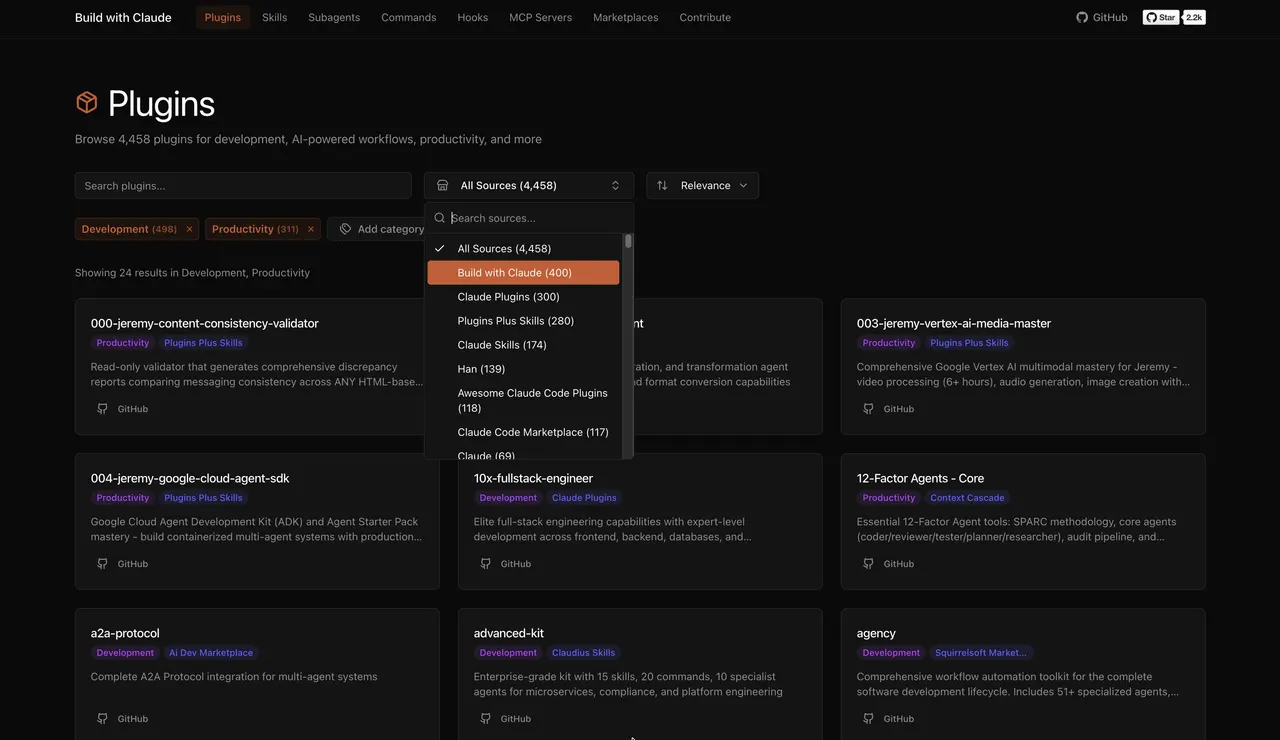
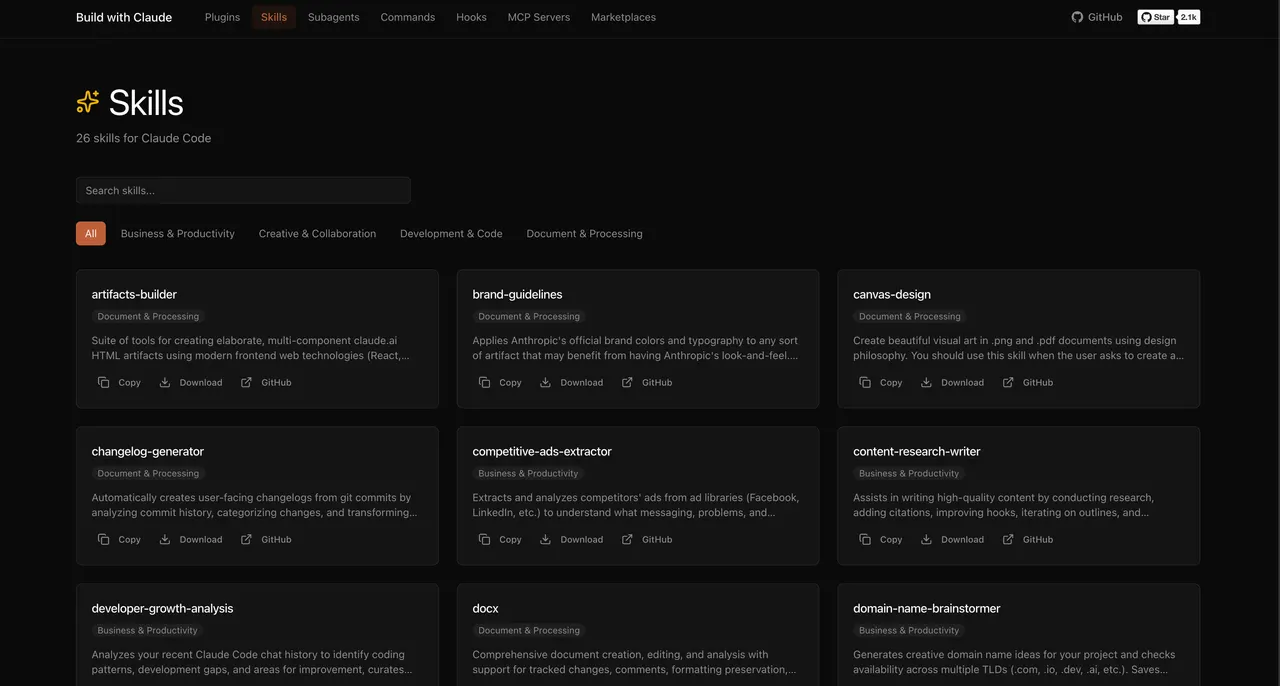
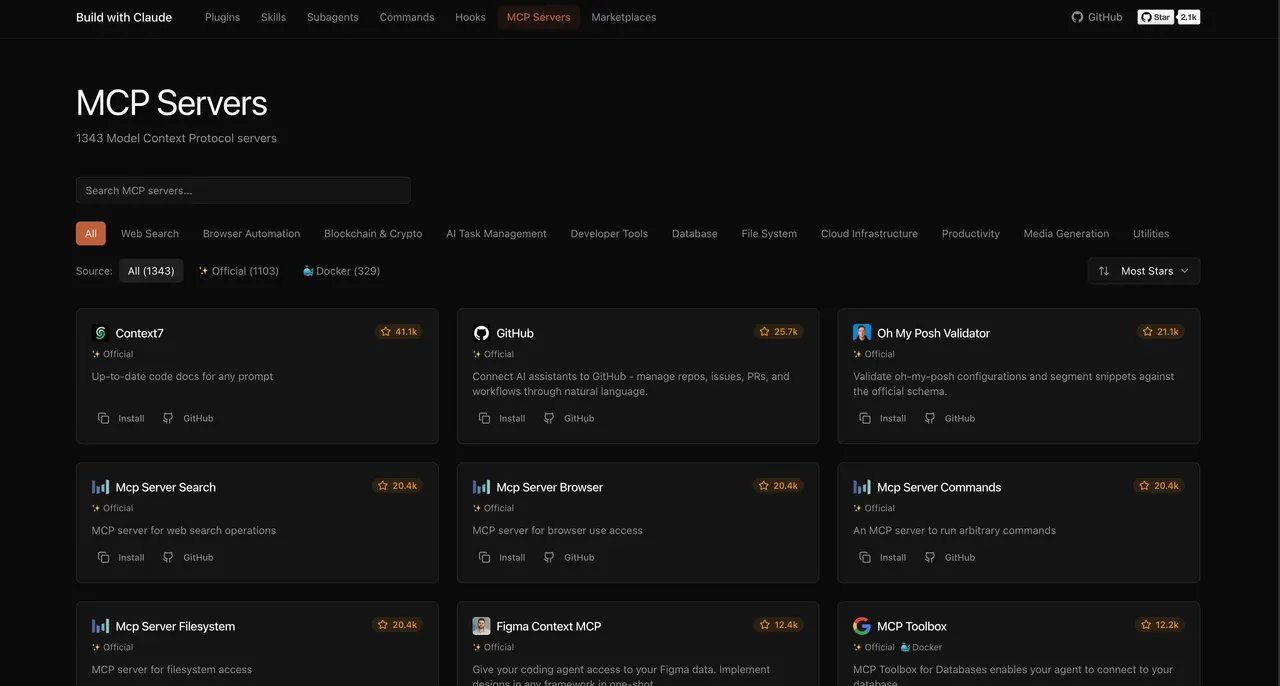
From the author's READMEPlugin discovery interface with search and filters
From the author's README davepoon ·Source
What you can do with it
- Discover and install specialized AI agents for Python development directly into Claude Code.
- Browse and add useful slash commands like `/commit` or `/docs` to automate coding tasks.
- Find community-contributed MCP servers for connecting Claude Code to external APIs or databases.
Safety check
No risky patterns found in the files we scanned.
Automated scan of the repo files. Always review code you run.
From the README
Build with Claude
Claude Skills, Agents, Commands, Hooks, Plugins, Marketplaces collections for and extend Claude Code
A plugin marketplace and discovery platform for Claude Code. Browse curated plugins, discover community contributions, and extend your Claude Code workflows.
Quick Start
# Add the Build with Claude marketplace
/plugin marketplace add davepoon/buildwithclaude

# Browse available plugins
/plugin search @buildwithclaude

# Install plugins
/plugin install @buildwithclaude
What's Included
Build with Claude Plugins
Curated collections maintained in this repository:
| Type | Count | Description |
|---|---|---|
| Agents | 117 | Specialized AI experts (Python, Go, DevOps, Security, etc.) |
| Commands | 175 | Slash commands for automation (/commit, /docs, /tdd) |
| Hooks | 28 | Event-driven automation (notifications, git, formatting) |
| Skills | 26 | Reusable capabilities from plugins |
| Plugins | 51 | Bundled plugin packages by category |
Community Discovery
The platform indexes plugins from the broader Claude Code ecosystem:
- 20k+ Community Plugins from external marketplaces
- 4,500+ MCP Servers for database, API, and tool connections
- 1,100+ Plugin Marketplaces from the community
Web UI
Browse, search, and explore everything at buildwithclaude.com
Features
- Browse all plugin types with filtering
- Search across plugins, agents, commands, hooks, skills
- Copy install commands with one click
- View full documentation and usage examples
- Discover MCP servers and community plugins
Installation Options
Option 1: Plugin Marketplace (Recommended)
# Add marketplace
/plugin marketplace add davepoon/buildwithclaude

# Install specific plugins
/plugin install agents-python-expert@buildwithclaude
/plugin install commands-version-control-git@buildwithclaude
/plugin install hooks-notifications@buildwithclaude

# Or install everything
/plugin install all-agents@buildwithclaude
/plugin install all-commands@buildwithclaude
/plugin install all-hooks@buildwithclaude
Option 2: Manual Installation
# Clone repository
git clone https://github.com/davepoon/buildwithclaude.git
cd buildwithclaude

# Install agents
find plugins/agents-*/agents -name "*.md" -exec cp {} ~/.claude/agents/ \;

# Install commands
find plugins/commands-*/commands -name "*.md" -exec cp {} ~/.claude/commands/ \;

# Restart Claude Code
Available Plugin Categories
Agents (11 categories)
- Development & Architecture - Backend, frontend, mobile, GraphQL experts
- Language Specialists - Python, Go, Rust, TypeScript, C/C++ experts
- Quality & Security - Code review, security audit, debugging
- Infrastructure & Operations - DevOps, cloud, database optimization
- Data & AI - ML engineering, data pipelines, AI development
- Crypto & Blockchain - Trading systems, DeFi, Web3 development
Commands (22 categories)
- Version Control - Commit, PR creation, branch management
- Code Analysis - Testing, review, optimization
- Documentation - Docs generation, changelogs, API specs
- Project Management - Todos, PRDs, task tracking
Hooks (8 categories)
- Notifications - Slack, Discord, Telegram alerts
- Git - Auto-staging, smart commits
- Development - Lint on save, auto-format
- Security - File protection, vulnerability scanning
Usage Examples
Using Agents
Agents are automatically invoked based on context, or explicitly called:
"Use the python-pro to optimize this function"
"@agent-security-auditor review this authentication code"
"Have the devops-troubleshooter help debug this deployment"
Using Commands
Commands use the / prefix:
/commit                    # Create conventional commit
/create-pr                 # Create pull request
/docs                      # Generate documentation
/tdd                       # Start test-driven development
/code_analysis             # Analyze code quality
Using Hooks
Hooks run automatically on events like tool calls or session start.
Contributing
We welcome contributions!
Adding Plugins
- Create a new directory in
plugins/following the naming convention - Add your plugin files (agents, commands, hooks)
- Run
npm testto validate - Submit a pull request
Plugin Format
Agent (plugins/agents-*/agents/*.md):
---
name: agent-name
description: When to invoke this agent
category: category-name
tools: Read, Write, Bash
---

You are a [role description]...
Command (plugins/commands-*/commands/*.md):
---
description: What this command does
category: category-name
argument-hint:
---

Command implementation...
Hook (plugins/hooks-*/hooks/*.md):
---
hooks: PreToolUse, PostToolUse
description: What this hook does
---

Hook implementation...
See CONTRIBUTING.md for detailed guidelines.
Links
- Web UI: buildwithclaude.com
- Documentation: Claude Code Docs
- Plugin Marketplaces: Plugin Docs
- Issues: GitHub Issues
- Visual Index: Vexilo · A field guide to Claude Code — Interactive index of 31 agents · 99 commands · 123 skills · 13 rules, organized around the 5-step workflow. (companion repo)
License
MIT License - see LICENSE for details.
Made