agent-sprite-forge
0x0funky · 0x0funky/agent-sprite-forge
This agent skill generates 2D sprite sheets, layered maps, and engine-ready game prototypes using natural language prompts, supporting Godot, Unity, and raw 2D workflows.
Agent Skill for generating 2D sprite sheets and map, transparent PNG frames, and animated GIFs from prompts.
See it in action
From the author's READMEComparison of manual vs auto-retimed attack animation frames
From the author's README 0x0funky ·Source
What you can do with it
- Generate custom 2D character sprites for a retro-style game based on textual descriptions.
- Quickly prototype game levels by generating layered maps with collision data.
- Create animated GIFs for character idle, walk, and attack animations for your game project.
Safety check
No risky patterns found in the files we scanned.
Automated scan of the repo files. Always review code you run.
From the README
Agent Sprite Forge
Languages: English | 繁體中文 | 简体中文 | 日本語 | 한국어
0.4 launch teaser: every frame is real ASF output.
One still → a whole game-ready sprite set
Approve one generated still. Get every action of the character, keyed, looped, timed and exported for your engine.
Agent skills for Claude Code (plugin), Codex and Grok. The agent generates a master still with the best image route you have, makes one image-to-video clip per action from it, and deterministic Python tools gate, key, register, loop, retime, finish and package every action for Godot, Aseprite or a web game.
  <strong>1. One approved master still</strong>

  Generated by the local Codex CLI (<code>image_gen</code>), take 1 of 3.


  <strong>2. Six actions, one image-to-video clip each</strong>

  Grok image-to-video (local CLI), soft-matte keyed, registered, loops picked by measurement, one-shots retimed to game speed, HD finish with the colour lock. Real timing.
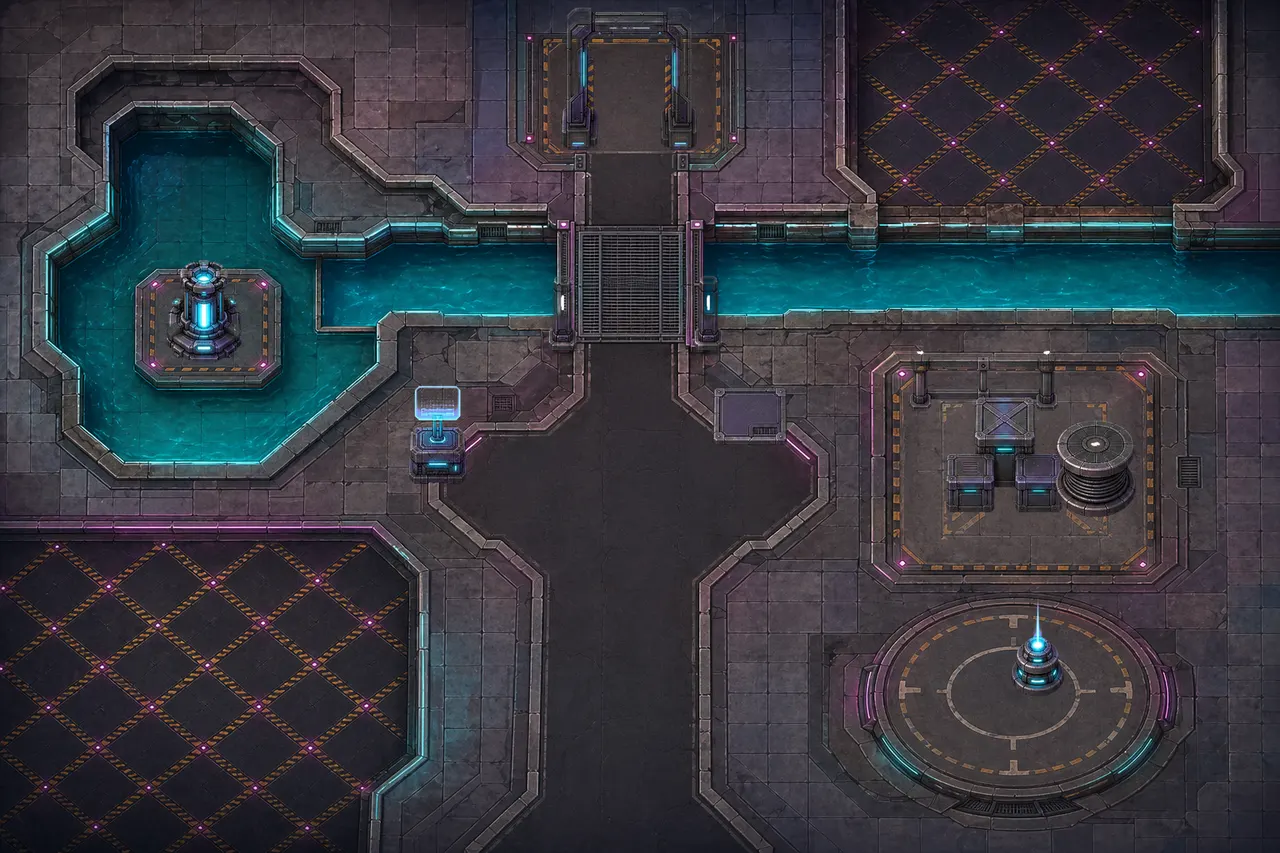
3. In a scene: the packaged run, attack and idle over a generated background. The run speed is measured from the contact foot, so the feet do not slide. Every frame comes from the 2026-10-06 live run; nothing is mocked up.
What's new · Quickstart · Routes and providers · Pipeline · Maps · Showcase · Tools
What's new in 0.4 — the big upgrade
Before 0.4, character animation meant cutting frames out of an image-generated sheet, or keying a single clip by hand. 0.4 turns one approved still into the whole set: one image-to-video clip per action, and a measured pipeline from every clip to the engine. Before and after, measured on real outputs:
  <strong>Pixel finish: the 48x64 fox run</strong>

  Old: one image-gen sheet cut 1/8 (594–709 colours per frame, soft alpha). New: master still → Grok clip → pixel finish (16–19 colours, binary alpha, selective outline). 4x nearest, both at 80 ms.


  <strong>Soft-matte keyer: no purple fringe</strong>

  Same Grok clip, same frame, 2x crop. Fringe 0.704 → 0, leaked key pixels 7,780 → 0, keying 271 s → 44 s for 145 frames.



  <strong>One-shots retimed to game speed</strong>

  Image-to-video plays a quick attack as a slow-motion clip. <code>retime --auto-oneshot</code> cuts the frozen holds and pins the hit: 4.1 s → 0.7 s, hit at 292 ms.



  <strong>HD colour lock</strong>

  Video models drift colours on fast limbs. The lock holds every design colour on the master's (OKLab chroma, lightness kept): hue flips halve and most of the boot shimmer goes away.
| Measured on the live runs | before | 0.4 |
|---|---|---|
| Pixel fox (48x64, 8 frames): colours per frame | 594–709 | 16–19 |
| Pixel fox: alpha levels | 199 | 2 |
| Pixel fox: lone pixels per frame (mean) | 732 | 75 |
| Keyer: purple fringe (outer-ring spill, mean) | 0.704 | 0 |
| Keyer: key pixels leaked over 145 frames | 7,780 | 0 |
| Keyer: time for 145 frames | 271 s | 44 s |
| Attack: one-shot length | 4.1 s | 0.7 s |
| Colour lock: hue flips per frame pair (run loop) | 352 | 170 |
| QC: good takes wrongly rejected | 18 of 24 | 0 of 24 |
What changed:
- Image generation first. Every image and clip goes through one command,
route_media.py: your API key if you configured one (OpenAI, Google Gemini, xAI, BytePlus, fal.ai), else your signed-in Codex or Grok CLI, else code art as the last resort. See Routes and providers. - One master still per character.
master_still.pywrites the prompt, generates takes, fixes a near-miss by edit and approves one still (master.json). - A whole set from that still.
sprite_set.pymakes one image-to-video clip per action, gates every take (area, feet, identity, zoom, turning around, edges, background, extra objects, motion, end pose, colour bleed, timing), retakes with fix clauses, keys with a soft matte, registers, picks loops, retimes one-shots, finishes and packages. - HD finish by default, crisp pixel finish on request. One body scale per character from the master. The pixel finish adds a crisp downscale, a spaced palette of at most 32 colours, a selective outline and binary alpha.
- Colour lock on every action of a set, and QC recalibrated on 42 labelled live takes.
- Engine exports. animation.json 3.0 with a PNG atlas, VP9-alpha WebM and packed-alpha MP4, decoded and verified; Godot SpriteFrames and Sprite3D; Aseprite JSON; maps for Tiled, Godot and LDtk.
- Claude Code plugin, plus Codex and Grok installs. Hardened on Windows: Codex sandbox run folders, locked-file cleanup, cp1252/cp950 consoles.
Everything in the CHANGELOG. The live record, weak points included: docs/validation-2026-10-06.md.
Quickstart
1. Install
Claude Code (plugin)
claude plugin marketplace add 0x0funky/agent-sprite-forge --sparse .claude-plugin skills
claude plugin install agent-sprite-forge@agent-sprite-forge
python -m pip install "numpy>=1.26" "Pillow>=10.1" "scipy>=1.11"
--sparse checks out only the plugin manifest and the skills, not the showcase media.
Codex
git clone https://github.com/0x0funky/agent-sprite-forge.git
cd agent-sprite-forge
python -m pip install -r requirements.txt
python tools/install_skills.py --apply --host codex
Grok: from the same clone, python tools/install_skills.py --apply --host grok (~/.grok/skills). --host agents writes ~/.agents/skills and --dest <folder> any skills folder.
--apply backs up an installed copy and writes a sha256 manifest; `python