New AI agent resources this week (week 43, 2026)
Updated 19/10/2026
This digest is for vibe coders who want to try new tools without reading every README. Everything here was added to Airsc in the last 7 days. Most picks have a 'safe' label and a quality score of 90 or higher.
This week leans toward design output, diagrams and agent memory. You can get better-looking pages, PDFs and architecture charts from your agent. You can also keep context across Claude, Cursor and ChatGPT, and build better debugging habits.
- PluginSafe
taste-skill
Leonxlnx

Gives coding agents 'taste' by providing art direction, reference images, and automated browser-based visual checks.
99kMIT#1 · Why we picked it
Safe, quality 95, beginner level, and it checks UI changes in a real browser so the agent does not ship a generic layout. - PluginSafe
next-ai-draw-io
DayuanJiang
An MCP server that lets your agent draw and edit professional draw.io architecture diagrams and flowcharts using simple chat commands.
36kApache-2.0#2 · Why we picked it
Safe, quality 95, beginner level, and it draws draw.io architecture diagrams and flowcharts from plain chat commands. - PluginSafe
Kami
tw93
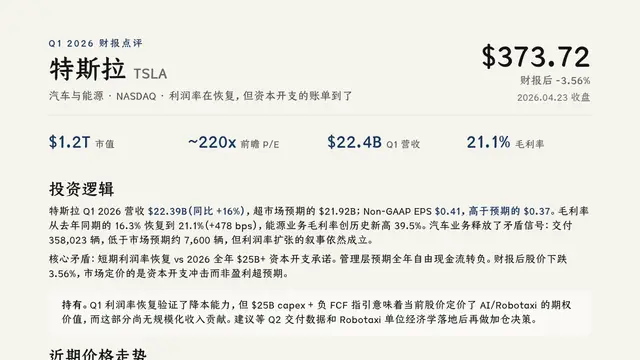
Layout rules and templates that allow AI agents to design and export professional PDF, PNG, and editable PowerPoint documents.
12kMIT#3 · Why we picked it
Safe, quality 95, beginner level, and it exports PDF, PNG and editable PowerPoint, such as a resume from Markdown. - PluginSafe
Waza
tw93
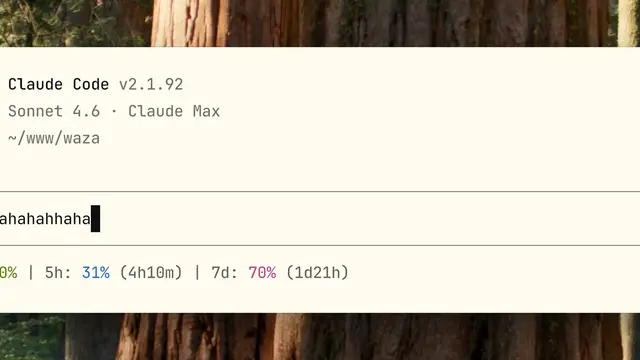
A suite of specialized commands like /think and /hunt that teach AI agents disciplined engineering habits for planning, debugging, and UI design.
7.3kMIT#4 · Why we picked it
Safe, quality 95, beginner level, and commands like /think and /hunt push the agent to plan and debug in a disciplined way. - MCP serverSafe
second-brain-cloudflare
rahilp
A self-hosted memory layer on Cloudflare that shares context across Claude, ChatGPT, and Cursor.
806MIT#5 · Why we picked it
Safe, quality 95, and a self-hosted memory layer that shares context across Claude, ChatGPT and Cursor; it needs a Cloudflare account and setup. - MCP serverSafe
erd-editor
dineug
Visual database schema designer with an MCP server that enables AI agents to create and edit entity-relationship diagrams live.
1.7kMIT#6 · Why we picked it
Safe, quality 90, beginner level, and lets an agent design and edit database diagrams live, then generate SQL DDL. - MCP serverSafe
world-intel-mcp
marc-shade
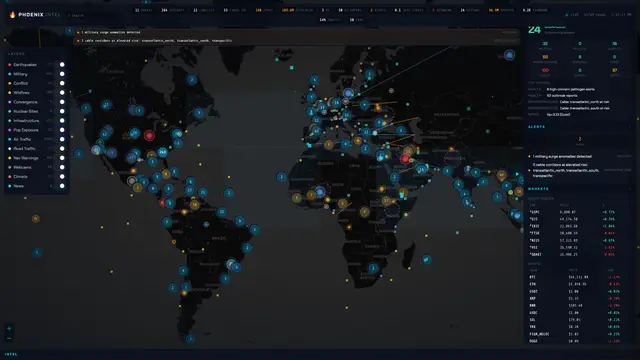
Provides 139 MCP tools for real-time global intelligence on markets, geopolitics, and environmental data without requiring paid API keys.
909MIT#7 · Why we picked it
Safe, quality 92, beginner level, with 139 tools for markets and world events that do not need paid API keys. - MCP serverCaution
Trail-Code
trailhq
An MCP server that optimizes agent context, reducing token costs and improving accuracy through codebase mapping.
10kMIT#8 · Why we picked it
Quality 92 and popular, it can cut token use with a compressed codebase map, but it carries a 'caution' label, so review its hooks before use.
How to choose
- Start with beginner-level items marked 'safe'. Most of this week's top picks fit that.
- Match the tool to your current task: taste-skill or Kami for visuals, next-ai-draw-io or erd-editor for diagrams, Waza for debugging habits.
- Check setup needs first. Memory servers, SMS gateways and GitLab tools need accounts, keys or your own hosting.
- Treat 'caution' items such as Trail-Code and video-talkcraft with care. Read what they run and test in a throwaway project first.
FAQ
Which resource is best for a first-time user this week?
taste-skill, Kami and next-ai-draw-io are all safe, beginner level and quality 95. Pick the one that matches what you build most often: pages, documents or diagrams.
Do any of these need API keys or extra setup?
Yes. second-brain-cloudflare needs a Cloudflare setup, gitlab-mcp needs access to GitLab, and textbee needs an Android phone as an SMS gateway. world-intel-mcp is listed as working without paid API keys.
What does the 'caution' label mean here?
It means the resource needs a closer look before you install it. Trail-Code and video-talkcraft have this label, so read their code and permissions and try them in a test project first.
Are there picks for specific stacks?
Yes. kotlin-footguns targets Kotlin and Compose Multiplatform, and gitlab-mcp suits teams on GitLab. Both are safe and intermediate level.