New AI agent resources this week (week 41, 2026)
Updated 11/10/2026
This digest is for vibe coders who want to try new tools without reading 16 READMEs. Most of this week's additions are beginner level. We lean toward items with a 'safe' label and a high quality score.
The picks below help you write better prompts, clean up weak AI output, draw diagrams, search code, and work with GitHub. Items marked 'caution' are still listed, but read their setup and permissions first.
- SkillSafe
prompt-master
nidhinjs
A Claude skill that generates accurate and efficient prompts for various AI tools, reducing wasted tokens and improving output quality.
14kMIT#1 · Why we picked it
A safe Claude skill with 14,095 stars and a 99 quality score that helps you write clearer prompts and waste fewer tokens. - PluginSafe
anti-slop
miqdadbadjuber
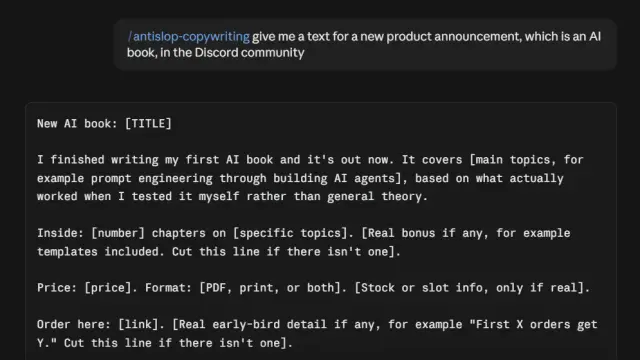
Provides a set of agent skills/rules to filter out generic AI-generated UI designs, filler text, and "AI-shaped" code, improving the quality of agent output.
6.2kMIT#2 · Why we picked it
A safe, beginner-level plugin with a 100 quality score that filters generic UI, filler text and 'AI-shaped' code from agent output. - SkillSafe
archify
tt-a1i
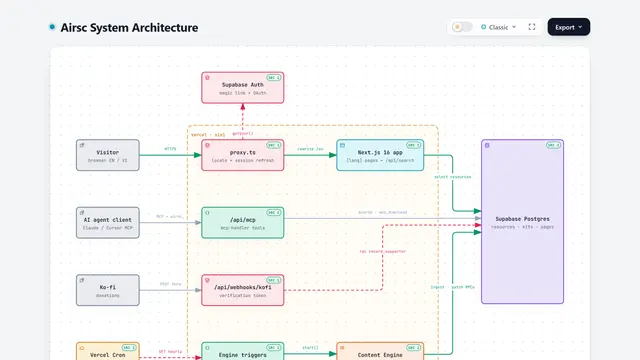
This agent skill converts any idea, plan, or codebase description into interactive HTML diagrams, enabling visual exploration, customization, and sharing within AI coding agents.
84kMIT#3 · Why we picked it
A safe skill that turns an idea or codebase description into interactive HTML diagrams you can share. - MCP serverSafe
github-mcp-server
github
Connects AI tools directly to GitHub, enabling agents to manage repositories, issues, PRs, and analyze code using natural language.
34kMIT#4 · Why we picked it
A safe MCP server with 33,455 stars that lets an agent manage repos, issues and pull requests in plain language; check the setup steps for how to connect your account. - MCP serverSafe
semble
MinishLab
This tool enables AI agents to perform fast and accurate code search in natural language, significantly reducing token usage.
6.2kMIT#5 · Why we picked it
A safe MCP server for natural-language code search that aims to cut token use by returning only the relevant code. - PluginSafe
anymd
SylphxAI
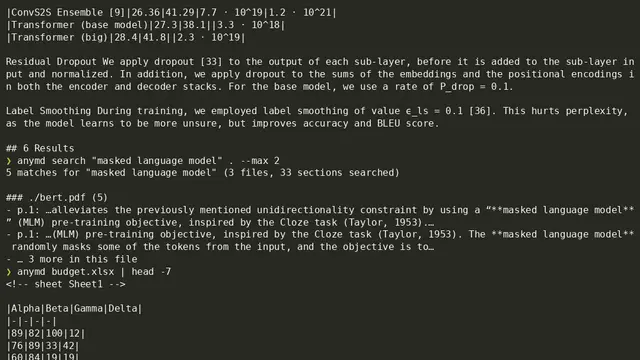
This fast, local Rust MCP server and CLI converts various file types, including PDF, Word, HTML, and audio/video, into clean Markdown for AI agent consumption, without API keys.
1kMIT#6 · Why we picked it
A safe, local tool that converts PDF, Word, HTML and audio/video into Markdown for your agent, and needs no API keys. - MCP serverSafe
skills
vercel-labs
A command-line interface for the open agent skills ecosystem, enabling easy installation and usage of skills across various AI coding agents.
33kMIT#7 · Why we picked it
A safe command-line tool that installs agent skills into Claude Code and other coding agents with one command. - PluginCaution
cc-safety-net
kenryu42
CC Safety Net is a pre-execution guard that blocks destructive Git and file system commands, and prevents access to sensitive files for AI coding agents.
1.6kMIT#8 · Why we picked it
Labeled 'caution', but it is a guard that blocks commands like rm -rf and force pushes, and protects .env and SSH keys; review its setup before use.
How to choose
- Start with items labeled 'safe'. Treat 'caution' items as read-first: check what files and commands they can touch.
- Pick one tool for the problem you have now, such as weak prompts, messy output or slow code search, instead of installing everything.
- Match the type to your setup: skills and plugins load into your agent, while MCP servers run as a separate connection.
- Check for API keys or account access before you start. Tools that run locally, like anymd, are easier to try.
FAQ
Are all of these resources safe to install?
No. Each one has a safety label. Some are 'safe' and some are 'caution', such as anthropics-skills, career-ops, cc-safety-net, pm-claude-skills, mckinsey-pptx and awesome-openclaw-tutorial. Read the details before installing any 'caution' item.
Which one should a complete beginner try first?
prompt-master or anti-slop. Both are safe and beginner level, and they improve results from tools you already use.
Do I need API keys for these tools?
It depends. anymd says it needs no API keys. For others, such as the GitHub MCP server, check the setup steps in the resource page for what access is required.
What if I only want protection from risky agent actions?
Look at cc-safety-net. It blocks destructive Git and file commands and guards sensitive files. It is labeled 'caution', so review how it is set up first.