Best Images, Video & Audio Resources for Vibe Coders
Updated 09/10/2026
This guide is for vibe coders who want to make or edit images, video and audio with an AI agent, and do not want to learn every tool first. You do not need a media background. Most picks below are rated safe and score 90 or higher on quality.
These resources let an agent write video code, edit clips, generate images, control music software and add voiceovers or captions. Some need API keys or a separate app installed first, so check the setup notes before you start.
- SkillSafe
OpenCreator
krillinai
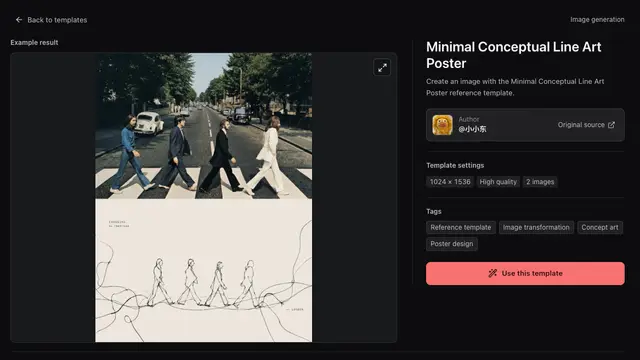
Provides an open-source AI workspace for agents to create and edit videos, images, voiceovers, and avatars, alongside content writing and translation.
13kApache-2.0#1 · Why we picked it
Best all-round starter: beginner level, safe, quality 95, and it covers video, images, voiceovers and avatars in one workspace. - PluginSafe
GPT-Image2-Skill
wuyoscar

A collection of agent skills and a CLI for GPT Image 2/2.5, featuring a prompt gallery, reference images, and capabilities for image generation and editing.
5.6kMIT#2 · Why we picked it
A beginner-friendly way to generate and edit images from prompts, with a prompt gallery to copy from; image generation will likely need an API key. - MCP serverSafe
concat
jub0t
A free, open-source video editor and CapCut alternative that agents can integrate with via MCP to automate video tasks.
6.8kAGPL-3.0#3 · Why we picked it
A free, open-source CapCut alternative that an agent can drive through MCP for captions, text-to-speech and short social videos. - MCP serverSafe
davinci-resolve-mcp
samuelgursky
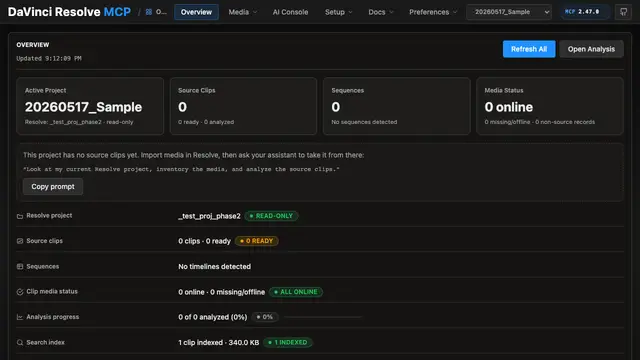
This MCP server allows AI assistants to control DaVinci Resolve Studio for video editing, media organization, and rendering tasks.
3.4kMIT#4 · Why we picked it
Safe and beginner-rated, it lets an agent handle routine editing, media organizing and exports; you need DaVinci Resolve Studio installed. - PluginSafe
video-shotcraft
Vincentwei1021
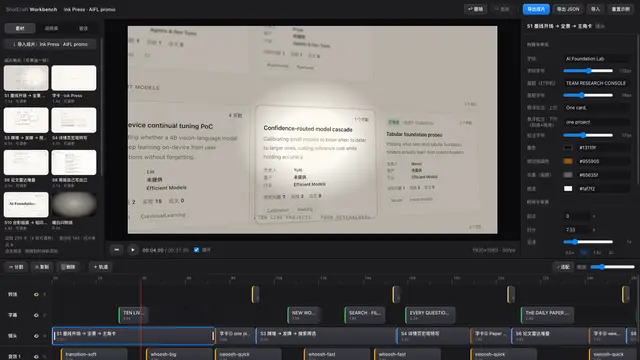
This AI agent skill enables Claude Code and Codex to craft cinematic product videos with Remotion, utilizing over 150 shot recipe cards and motion previews.
12kApache-2.0#5 · Why we picked it
With 10k+ stars and over 150 shot recipes, it helps Claude Code build polished product videos with Remotion, though it suits intermediate users. - PluginSafe
remotion-superpowers
DojoCodingLabs
Extends Remotion with AI-powered video production features like voiceovers, music, stock footage, and video generation for Claude Code.
128MIT#6 · Why we picked it
Adds voiceovers, music, stock footage and TikTok-style captions to Remotion projects; expect to set up API keys for the AI services. - PluginSafe
claude-video-vision
jordanrendric
This Claude Code plugin enables AI agents to watch and understand videos by extracting frames and processing audio transcriptions with timestamps.
1.3kMIT#7 · Why we picked it
Lets Claude Code watch videos by pulling frames and timestamped transcripts, useful for summaries and study notes. - MCP serverSafe
ableton-mcp
ahujasid
Allows an AI agent to control Ableton Live, enabling prompt-driven music production, track creation, and arrangement manipulation.
3.1kMIT#8 · Why we picked it
Safe, quality 95, and lets an agent build tracks in Ableton Live from prompts; you need Ableton Live and some setup.
How to choose
- Start with the goal: pick OpenCreator or GPT-Image2-Skill for images and quick content, Concat or DaVinci Resolve MCP for editing, and Remotion tools for code-made video.
- Check the safety label first. Prefer safe. Resources marked caution, such as mcp-for-blender and lemo-opuscar, need a closer look at what they can access before you install.
- Match your level. Beginner picks need less setup; intermediate ones often expect Remotion, Node or an installed app.
- Look for hidden costs. Image, voice and video generation often use paid APIs, and desktop tools like Ableton or DaVinci Resolve Studio may need a licence.
FAQ
Do I need to know video editing to use these?
No. Beginner picks like OpenCreator and Concat work from plain-language prompts. Remotion-based tools are better once you are comfortable running a small code project.
Will these cost money to run?
Many are free and open source, but features like image generation, voiceovers or AI video often call paid APIs. Some apps, like DaVinci Resolve Studio, also need a licence. Check each project's page.
What does a caution label mean?
It means the safety check found something worth a closer look, such as broad access to your machine or another app. It is not a ban, but read what it can do and run it only with projects you trust.
Can an agent really understand a video?
With claude-video-vision, it samples frames and reads a timestamped transcript. That works well for summaries and key moments, but it does not see every frame.