Best Code review & quality resources for vibe coders
Updated 14/10/2026
This guide is for people who build with AI agents but do not read every line of code the agent writes. AI code often looks fine and still hides bloat, odd patterns or small bugs. The resources below add rules, standards and review steps so you catch more of that.
Most picks are drop-in rules or skills you add to Claude Code or Cursor. A few add a real review step, where a second pass checks the first. We list safe options first and flag the one with a caution label.
- PluginSafe
anti-slop
miqdadbadjuber
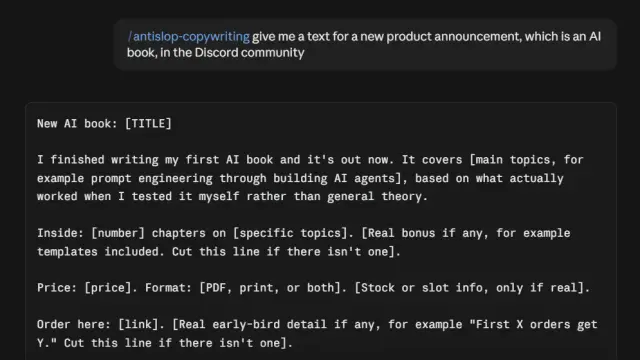
Provides a set of agent skills/rules to filter out generic AI-generated UI designs, filler text, and "AI-shaped" code, improving the quality of agent output.
6.2kMIT#1 · Why we picked it
Top quality score (100), labeled safe and beginner level; it filters generic UI, filler text and AI-shaped code from agent output. - PluginSafe
ponytail
DietrichGebert
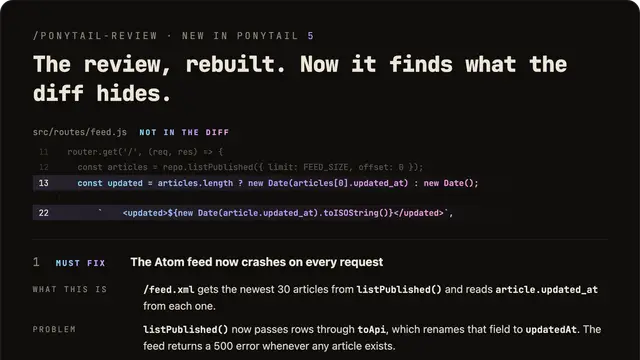
A skill or prompt that guides AI agents to write minimal, efficient code, improving code quality, reducing costs, and speeding up development.
164kMIT#2 · Why we picked it
Safe and beginner level, it pushes the agent to write minimal code and skip features you do not need, which makes output easier to review. - SkillSafe
agent-skills-standard
HoangNguyen0403
This collection provides over 280 ready-to-use coding standards and best practices for various programming languages and frameworks, optimized for AI agents like Claude Code and Cursor.
568MIT#3 · Why we picked it
Over 280 ready-made coding standards for many languages and frameworks, safe, and works with Claude Code and Cursor. - SkillSafe
vibe-coding-rules
yerdaulet-damir
This project provides 54 production architecture rules as drop-in files for Claude Code and Cursor, enabling AI agents to follow clean code and best practices for FastAPI, Next.js, and Go projects.
28MIT#4 · Why we picked it
54 architecture rules as drop-in files for FastAPI, Next.js and Go, aimed at turning prototype code into production-ready code. - Cursor ruleSafe
best-cursor-rules
Renvia-code
A curated collection of Cursor AI rules with a Setup Wizard that automatically generates customized, framework-specific guidelines to improve AI-generated code quality.
12CC0-1.0#5 · Why we picked it
A safe Cursor rule set with a Setup Wizard that generates framework-specific rules, so setup is guided for Next.js, React or Vue. - PluginSafe
first-pass
joetawil7
A Claude Code plugin that enhances code quality by enforcing pre-coding questions, independent review, and proofing mechanisms, ensuring agents look beyond immediate changes.
109MIT#6 · Why we picked it
Adds a real review habit: questions before coding, a second agent to review, and proof that the work is done. Intermediate level, labeled safe. - PluginSafe
developer-kit
giuseppe-trisciuoglio
Supercharges your agent's workflow with modular plugins, specialized agents, and 150+ skills for specific tech stacks.
355MIT#7 · Why we picked it
Safe, beginner level, with 150+ skills including code review and refactoring for stacks like Java and TypeScript. - PluginCaution
open-code-review
alibaba
This plugin enables your AI agent to perform precise, AI-powered code reviews with line-level comments and detect common security vulnerabilities.
47kApache-2.0#8 · Why we picked it
Gives line-level review comments and flags issues like XSS and SQL injection, but it has a caution label, so read what it does before installing.
How to choose
- Start with rules that shape output (anti-slop, ponytail, a standards pack). They are easy to add and need little setup.
- Match the tool to your editor: best-cursor-rules is for Cursor, while first-pass is built for Claude Code.
- Add a review tool only when you need real checks. Open-code-review has a caution label, so check its permissions first.
- Pick one or two resources, not all. Too many rules can conflict and make the agent less clear.
FAQ
Do these tools replace a human code review?
No. They reduce obvious problems and add a second check, but you should still test your app and read key changes, especially around security.
Which one should a beginner install first?
Try anti-slop or ponytail. Both are labeled safe and beginner level, and they improve output without changing your workflow much.
What does the caution label mean?
It means the safety check found something worth a closer look. Read the project page and its permissions before you install it, such as open-code-review.
Can I use these with Cursor and not only Claude Code?
Yes for some. Best-cursor-rules, agent-skills-standard and vibe-coding-rules mention Cursor support. Check each page for the tools it supports.