Best AI & LLM Features Resources for Vibe Coders
Updated 16/10/2026
This guide is for vibe coders who want to get more out of AI models. You may want better prompts, a model that can read screenshots, or a chat workspace that uses several LLMs. You do not need to be an expert for most of the picks below.
The resources here help you write sharper prompts, learn faster, read images and papers, and link agents to other AI tools. We put safe labels and higher quality scores first. Where a tool needs setup or API keys, we say so.
- SkillSafe
prompt-master
nidhinjs
A Claude skill that generates accurate and efficient prompts for various AI tools, reducing wasted tokens and improving output quality.
14kMIT#1 · Why we picked it
Top quality score (99), labeled safe and beginner level, and it turns vague prompts into precise ones so you waste fewer tokens. - PluginSafe
engram
nagisanzenin
Engram is an evidence-based learning plugin that turns AI agents into tutors to help humans learn and retain information.
1.4kMIT#2 · Why we picked it
A safe, beginner-friendly plugin that makes your agent act as a tutor, using spaced repetition and free-recall checks to help you retain what you learn. - SkillCaution
modlens
liustack
Gives text-only AI models the ability to "see" images by pasting them and extracting structured JSON evidence like OCR, layout, and semantics.
4.1kMIT#3 · Why we picked it
Lets text-only models read screenshots by returning OCR, layout and meaning as JSON; it has a caution label, so review it before use. - MCP serverCaution
better-chatbot
keinsaasforever
This open-source AI workspace, inspired by leading LLMs, supports multiple AI providers and powerful tools like MCP protocol, web search, and code execution for various tasks.
1.2kMIT#4 · Why we picked it
An open-source AI workspace with several providers, web search, code execution and MCP tools; it has a caution label and you will likely need your own provider API keys. - SkillSafe
gemini-skill
WJZ-P
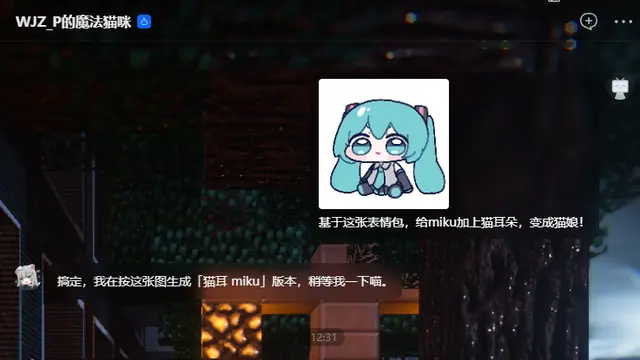
This MCP server provides skills for AI agents to automate Gemini web interface interactions, including AI image generation, dialogue, and image extraction via browser control.
832MIT#5 · Why we picked it
Labeled safe, it lets an agent drive the Gemini web interface to generate images and run conversations, though it needs some setup at intermediate level. - PluginSafe
arxiv-mcp-server
blazickjp
This MCP server allows AI agents to read arXiv papers, extract BibTeX, and keep topic watches, with papers stored locally.
3.2kApache-2.0#6 · Why we picked it
A safe MCP server that lets your agent read arXiv papers, pull BibTeX and watch topics, with papers stored locally. - PluginCaution
skills
NVIDIA
This official NVIDIA plugin provides agent skills to run Physical AI, robotics, simulation, CUDA, and RAG workflows within Claude Code and other coding agents.
3.5kApache-2.0#7 · Why we picked it
An official NVIDIA plugin that covers RAG workflows and CUDA for Claude Code; it is advanced and labeled caution, so try it once you are comfortable.
How to choose
- Start with the safe label. Read the details on caution items before you install them.
- Match the level to your skill. Beginner tools like prompt-master are easy to try; advanced ones like NVIDIA skills need more background.
- Check setup needs. Chat workspaces and anything that calls other AI services may need API keys or a login.
- Pick one tool for one problem first, such as better prompts or image reading, then add more later.
FAQ
Which resource should a beginner install first?
prompt-master is a good first pick. It is labeled safe, has the highest quality score here, and is beginner level. Better prompts help with every other tool.
Do these tools need API keys?
Some may. better-chatbot supports multiple AI providers, so expect to add keys for the ones you use. gemini-skill works through the Gemini web interface, so expect to need a Gemini account. Check each project's setup notes first.
What does a caution label mean?
It means the resource needs a closer look before you use it. That does not make it unsafe, but review what it can access and run it in a test project first.
Can my AI model read screenshots with these?
Yes, modlens is built for this. It gives text-only models OCR, layout and meaning from an image as JSON. It has a caution label, so review it first.