Best Agent workflow & memory resources for vibe coders
Updated 14/10/2026
This guide is for vibe coders who want their AI agent to work in clear steps and remember what happened before. You do not need to be an expert. Most picks here are beginner level.
These resources unlock three things: reusable skills that teach the agent a task, memory and code search that save tokens and repeat work, and simple tools to see what the agent is doing. Items marked 'caution' are still useful, but read the repo and permissions before you install.
- MCP serverSafe
skills
vercel-labs
A command-line interface for the open agent skills ecosystem, enabling easy installation and usage of skills across various AI coding agents.
33kMIT#1 · Why we picked it
A safe, beginner-level command-line tool that installs skills into your coding agent with one command, and it has 33k stars. - SkillSafe
ok-skills
mxyhi
Offers a curated collection of 31 reusable AI coding agent skills and playbooks for Codex, Claude Code, Cursor, and other SKILL.md-compatible tools.
492Apache-2.0#2 · Why we picked it
A safe set of 31 ready-made skills for Codex, Claude Code and Cursor, covering docs lookup, browser tasks and document creation. - PluginCaution
claude-mem
thedotmack
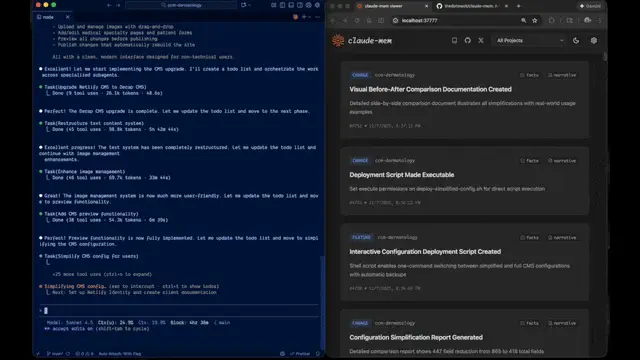
A plugin providing persistent context and memory for AI agents, capturing actions, compressing them with AI, and injecting relevant summaries into future sessions across multiple platforms.
101kApache-2.0#3 · Why we picked it
Gives your agent persistent memory by summarizing past sessions and feeding them back later; it is labeled caution, so review it first. - MCP serverSafe
semble
MinishLab
This tool enables AI agents to perform fast and accurate code search in natural language, significantly reducing token usage.
6.2kMIT#4 · Why we picked it
A safe, beginner-level MCP server for natural-language code search that cuts token use. - MCP serverCaution
codebase-memory-mcp
DeusData
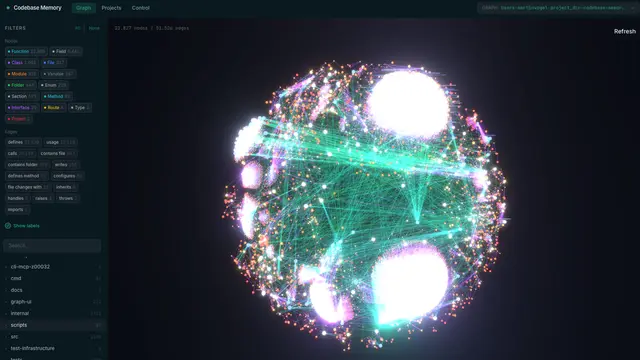
This MCP server provides high-performance code intelligence to AI agents by indexing codebases into a knowledge graph for faster, token-efficient queries.
47kMIT#5 · Why we picked it
Indexes your codebase into a knowledge graph so the agent understands big projects with fewer tokens; it is intermediate and marked caution. - PluginCaution
agent-skills
addyosmani
Provides a set of production-grade engineering skills as slash commands for AI coding agents to define, plan, build, test, review, and ship software efficiently.
106kMIT#6 · Why we picked it
Slash commands that walk the agent from spec to plan, build, test, review and ship; very popular but intermediate and marked caution. - PluginSafe
claude-code-mods
hamzafer
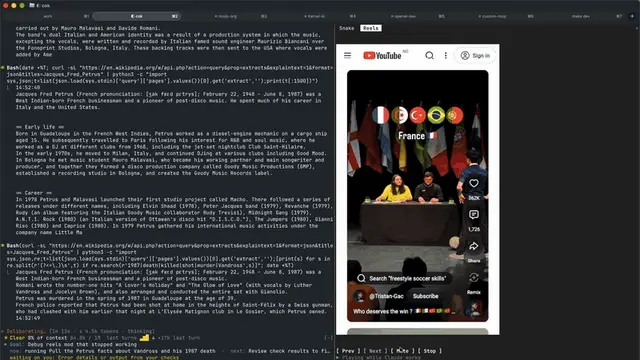
A collection of Claude Code plugins offering live feedback, context visualization, and monitoring tools to enhance the agent's coding environment.
114MIT#7 · Why we picked it
Safe Claude Code plugins that show context window use, live review feedback and sub-agent activity. - PluginSafe
arena-skill
Jakeschincariol
This Claude Code skill allows users to pit 100 sub-agents with different strategies against each other on the same task, identifying the most robust solution by having them attack and defend their work.
284MIT#8 · Why we picked it
A safe, beginner-level skill that has many sub-agents compete and attack each other's work to find a sturdier answer.
How to choose
- Start with one skill installer or skill pack (vercel-labs-skills or ok-skills). Add memory or code search only when your sessions get long.
- Prefer 'safe' labels first. For 'caution' items, read the repo, check what it can access, and try it in a test project.
- Choose memory (claude-mem) if the agent forgets decisions. Choose code search (semble, codebase-memory-mcp) if it wastes tokens reading files.
- Expect some setup. MCP servers and plugins may need config or API keys, so check each README before you start.
FAQ
What is the difference between a skill and an MCP server?
A skill is a set of instructions that teaches the agent how to do a task. An MCP server is a tool the agent can call, such as code search. Many setups use both.
Do I need memory if my project is small?
Usually not. Memory tools like claude-mem help most when you work across many sessions and keep re-explaining the same context.
Is it safe to install a resource marked 'caution'?
It is not blocked, but it needs a closer look. Read the source, check the permissions it asks for, and test it outside your main project first.
Which one should a complete beginner try first?
Try vercel-labs-skills or ok-skills. Both are safe and beginner level, and they show you how skills work before you add anything more complex.